15
Get Ready
Setup from the Camera Menus
The camera clock can be set manually.
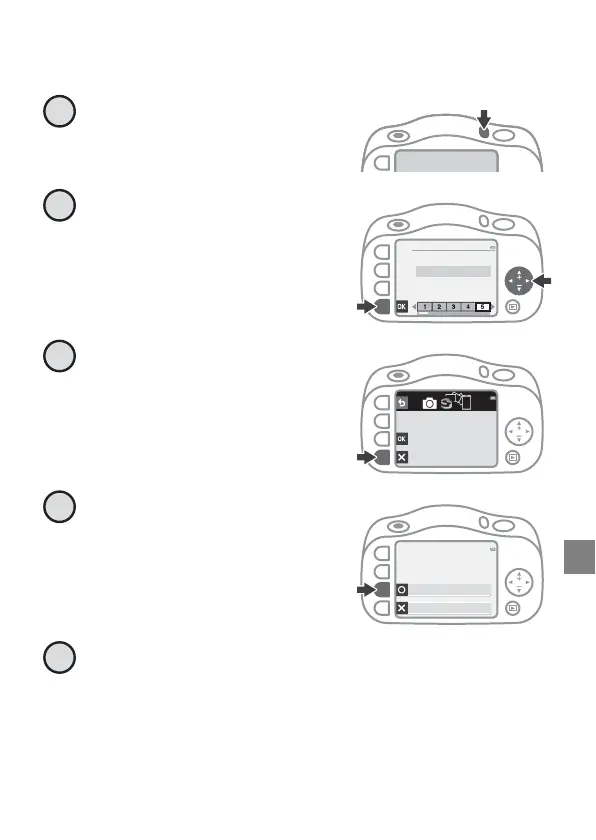
Press the power switch to
turn on the camera.
Press J or K on the multi
selector to highlight a
language and press O.
Press S when the dialog at
right is displayed.
Press RYes.
Select a date format.
1
English
Language
2
Use SnapBridge to send photos
to your smart device and
share them online.
To skip this screen and
set SnapBridge later from
the Network menu, press X.
3
Set time and date?
Yes
No



 To Next Page