126
Basic Camera Setup: The Setup Menu
Shooting, Playback, and Setup Menus
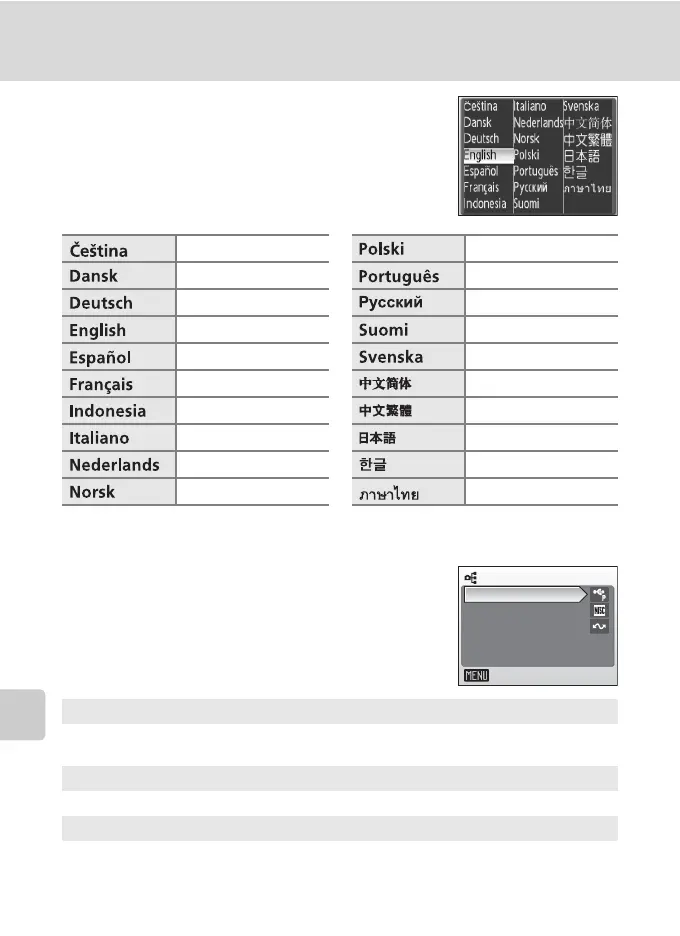
j Language
Choose one of 20 languages for display of camera
menus and messages.
k Interface
Adjust settings for connection to a computer or
television.
Czech Polish
Danish Portuguese
German Russian
(default) Finnish
Spanish Swedish
French Simplified Chinese
Indonesian Traditional Chinese
Italian Japanese
Dutch Korean
Norwegian Thai
USB
Select [Mass storage] or [PTP] for connection to computer (c 83) or printer
(c 88).
Video mode
Choose from [NTSC] and [PAL].
Auto transfer
Choose [On] to mark all new pictures for transfer to computer (c 86).
Interface
Exit
USB
Video mode
Auto transfer



 To Next Page