153
Transferring Pictures
Wireless Transfer Mode
Immediately Transferring Pictures Taken - Shoot &
Transfer
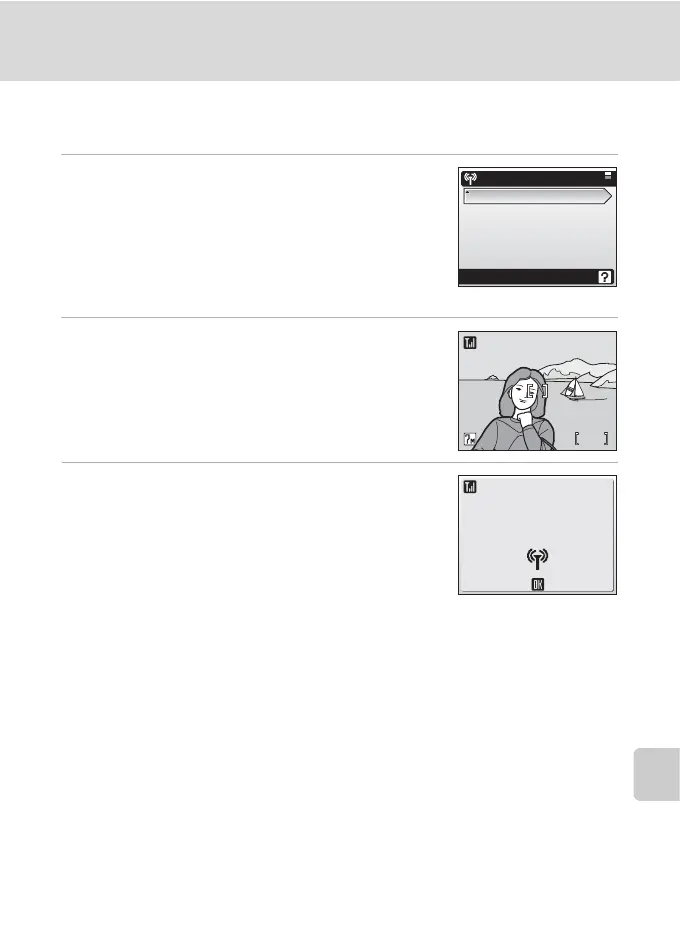
1 Use the rotary multi selector to choose
[Shoot & Transfer] in step 3 of “Establish-
ing a Wireless Connection” (c 143) and
press d.
When multiple computers are set as profiles for the
infrastructure network, the profile selection screen is
displayed. Choose a profile and press d.
2 Enter shooting mode.
The shooting screen will be displayed.
• The camera enters L (auto) mode automatically.
• Press m in the shooting screen, and the shoot
and transfer menu will be displayed.
3 Take a picture.
The just-taken picture will be transferred to the com-
puter. The camera returns to shooting mode (screen
in step 2) after transfer is complete. Note that pic-
tures cannot be taken while pictures are being trans-
ferred.
• If a confirmation dialog is displayed, select [Yes] to
transfer the picture. To cancel the transfer, select [No].
Function selection menu
Shoot & Transfer
Marked images
PC mode
Wireless Printing
88
MM
Cancel
Transferring images
to computer



 To Next Page