60
More on Playback
Viewing Pictures by Date
Pictures taken on a specific date can be selected for viewing, deletion, print-
ing, protection, and transfer.
The date can be selected from a calendar or a list.
Selecting a Date in Calendar Mode
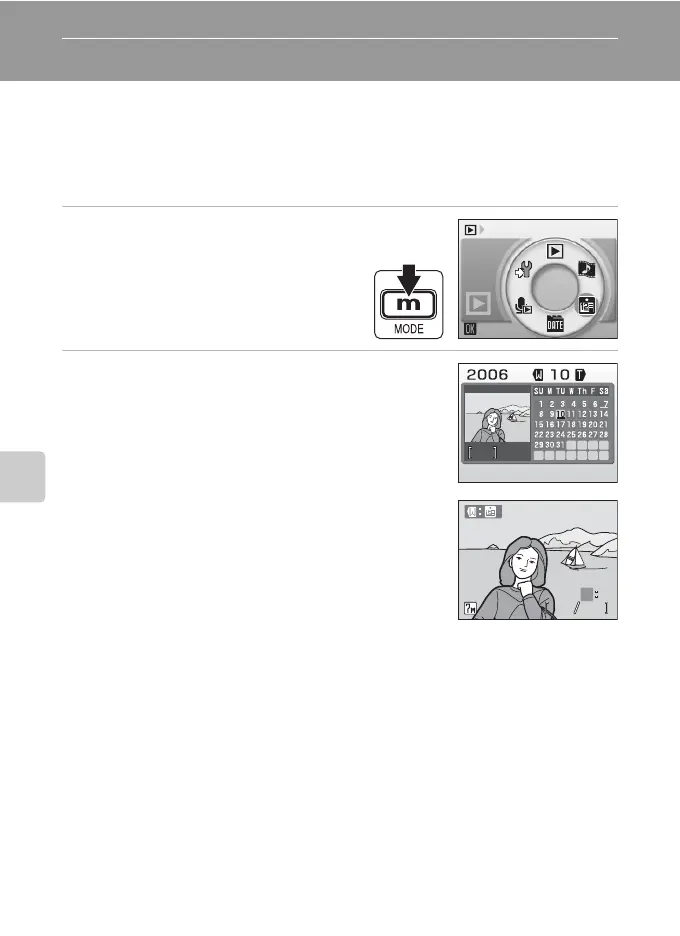
1 Enter calendar mode by pressing
D in playback mode, selecting
J (use the rotary multi selec-
tor), and then pressing d.
2 Choose a date and press d.
Dates for which pictures exist are underlined in yel-
low.
Press the zoom control to t (j) to view previous
month, press to v (k) to view following month.
The first picture for that date will be displayed full-
frame.
Press the zoom control in full-frame playback to t
(j) to return to calendar mode.
Calendar
33
2006.10.10
15:30
2006.10.10
15:30
31 31
O
MM
N
EE
O



 To Next Page