147
Transferring Pictures
Wireless Transfer Mode
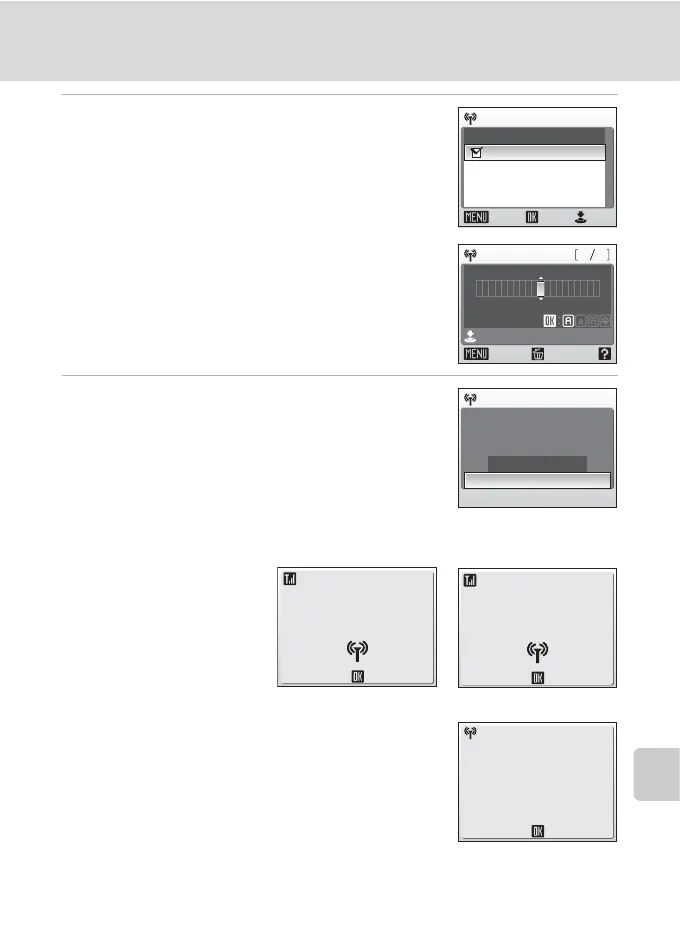
5 Choose recipient e-mail address and
press the shutter-release button.
Choose e-mail address and press d to mark.
Choose [New] and press d to add recipients. Enter e-
mail address correctly in the address screen and press
the shutter-release button. For information on how to
enter characters, see “Entering Characters on the
Camera” (c 148).
6 Choose [Yes] and press d.
The screens for connecting to the access point and connecting to the wireless LAN
will be displayed in order. To cancel transfer, press d.
When the transfer is complete, the message shown at
right will be displayed.
Choose address
New
Confirm
ON/OFF
Back
xxx xxx. xxx
@
Email
Confirm
Back Delete
xxx xxx. xxx
@
6411
Send mail?
Yes
No
Send mail
Cancel
Connecting to access point
Connecting to server
Cancel
Mail sent. Closed
connection to
alias.
Select SSID



 To Next Page