Chapter 2 How to Use the Parts
6
2.2 Turning the LEDs On or Off and Controlling Illumination
This product has built-in high-power LEDs with four industry-standard wavelengths: 385 nm, 475 nm, 550 nm,
and 621 nm. The light beams from each of the LEDs are synthesized by a dichroic mirror inside the device to
be output from the light-emitting hole on the mounting section.
Applications suitable for illumination from this product include fluorometric quantification experiments and
time-lapse microscopic examination.
Simultaneous/individual illumination control
This product allows simultaneous on/off and brightness control of all the LEDs as well as individual on/off and
brightness control of each wavelength LED.
Saving and restoring settings
The brightness of each LED can be registered in the memory of this system and can be restored
.
Turning LEDs on or off
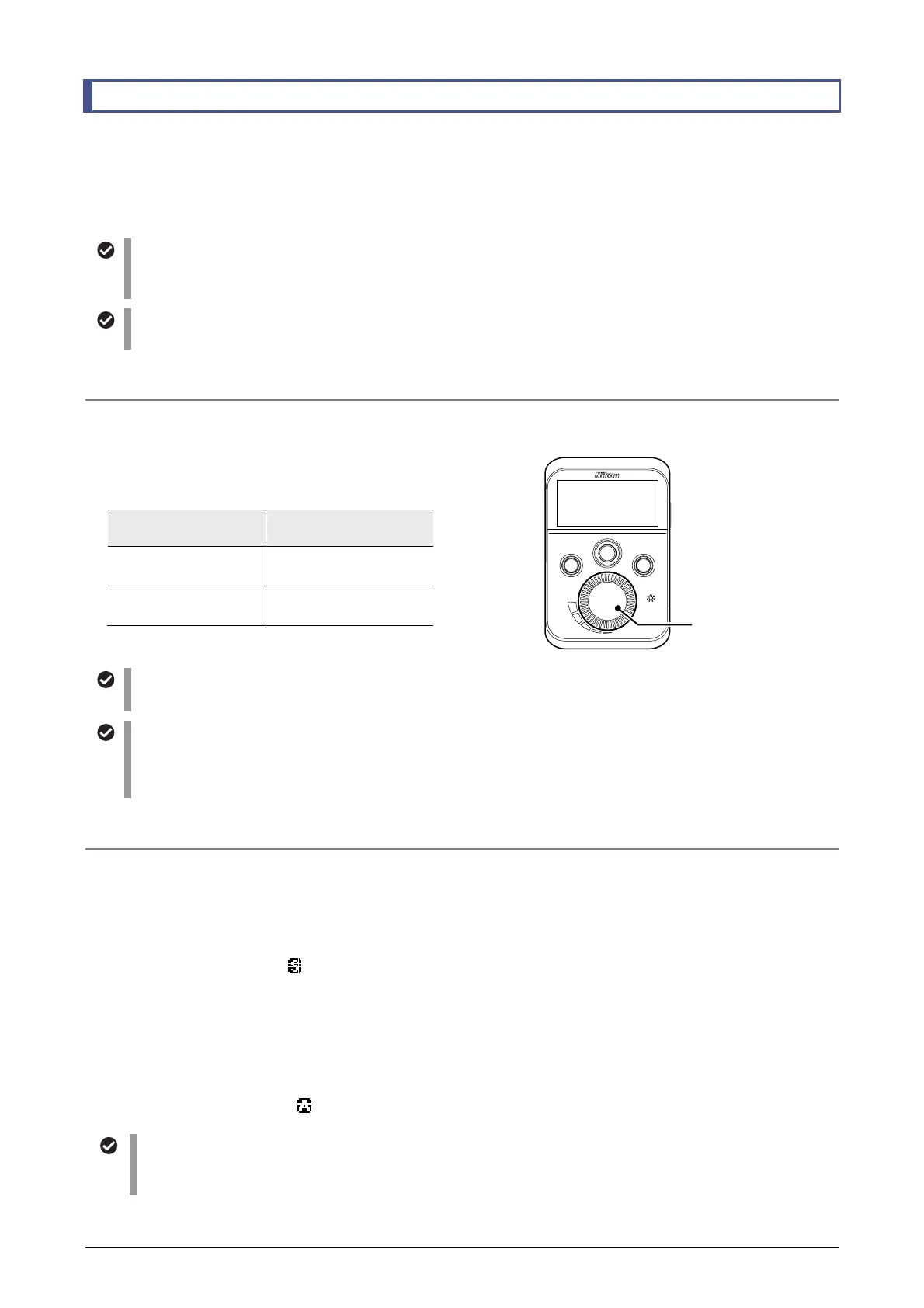
The illumination control dial on the remote control pad is used to turn the illumination on or off and control
brightness.
Turning LEDs on/off and illumination control
(brightness adjustment)
Illumination
control dial
LED
Press
Switches the LEDs
on or off.
Turn
The brightness of the
lit LEDs changes.
Fn
SELECT
MENU
PUSH
ON/OFF
Beep sound when turning LEDs on or adjusting their brightness
A beep sounds when you turn LEDs on or when the upper or lower limit of the brightness range is reached.
Using the illumination control dial
The Illumination control dial has 24 clicks in one rotation. Each click changes the brightness value. The number o
steps for each click can be changed in the MENU screen. Refer to “2.4.5 Selecting the Number of Steps for the
Illumination Control Dial”.
LED illumination control modes
In this product, you can turn the built-in four-color LEDs on or off and control their brightness in two modes:
SYNC mode (simultaneous illumination control mode)
• Turns the four LEDs on or off and controls their brightness simultaneously.
• Maintains the same brightness value for all LEDs.
• In the SYNC mode, the
SYNC
icon is displayed in the upper right of the display.
ASYNC mode (individual illumination control mode)
• Turns the four LEDs on or off and controls their brightness individually.
• Multiple lit LEDs can be selected to perform on/off and brightness control operation in a ganged manner.
• When you control the brightness of multiple LEDs, luminance balance between all LEDs set in ASYNC
mode is maintained.
• In the ASYNC mode, the
SYNC
icon is displayed in the upper right of the display.
Switching between the illumination control modes
Use the MENU screen to switch between illumination control modes.
For details, refer to “2.4.1 Switching Illumination Control Modes.”
Illumination control dial



 To Next Page