Chapter 2 How to Use the Parts
9
Controlling the brightness
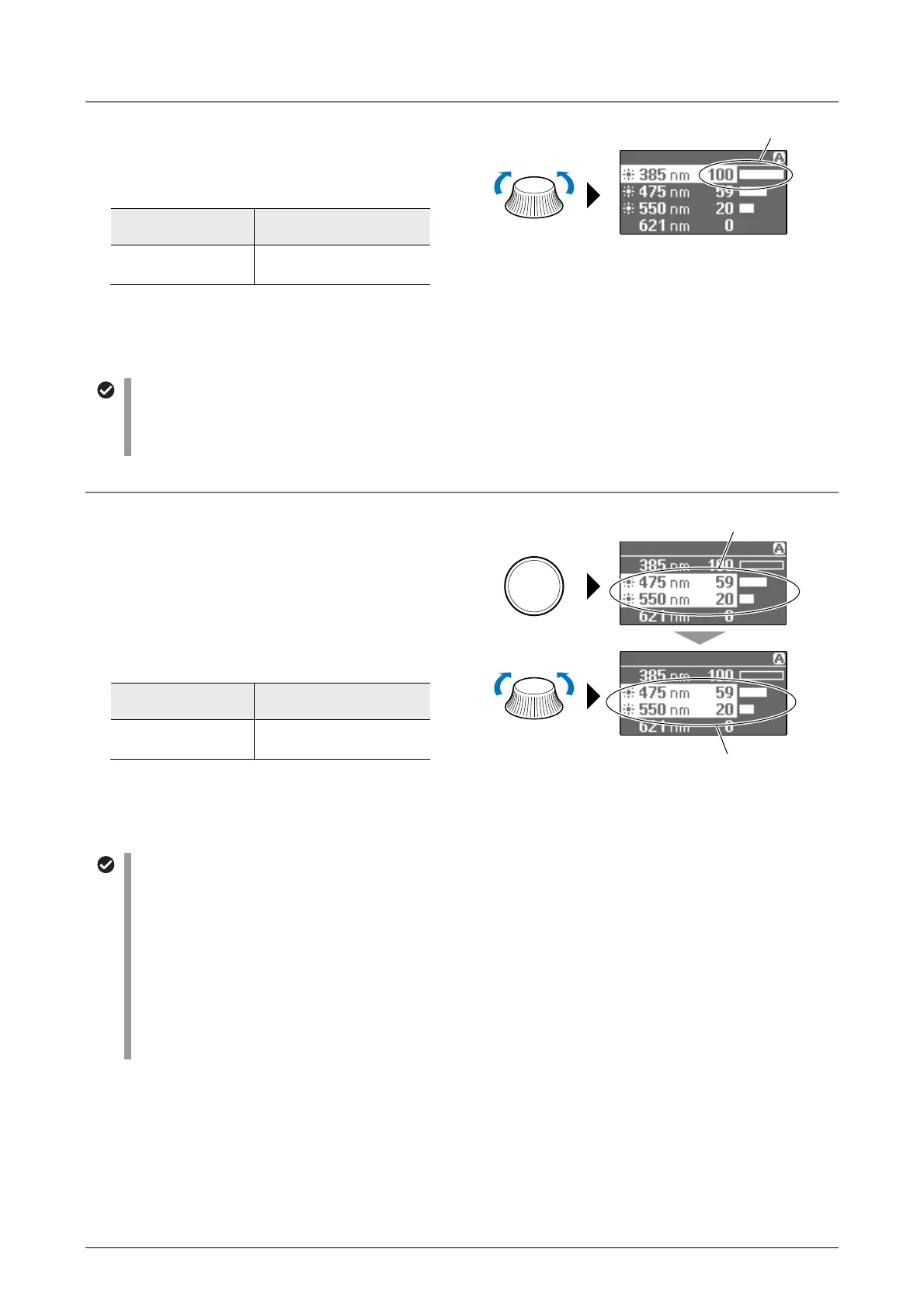
Select the desired LED on the display, and then turn
the illumination control dial. The brightness of the
selected LED can be adjusted.
Controlling the brightness of a selected LED
Illumination
control dial
Selected LED
Turn
The LED brightness
changes.
The brightness is controlled in 101 steps from 0 to
100. The current brightness is indicated by a value
and bar graph on the display.
Number of steps of the illumination control dial
When the illumination control dial is turned to the click-stop position, the number of steps for each click changes
the brightness value. The number of steps can be set between 1 to 5. The default setting for the number of steps
for a click is “5”.
Controlling the brightness of multiple LEDs
If multiple LEDs are selected on the display, you can
turn the selected LEDs on or off and control their
brightness.
If there is any difference among the brightness values
of the multiple LEDs, the brightness of the LEDs can
be controlled in a ganged manner to maintain their
relative brightness.
Controlling the brightness of selected LEDs
Illumination
control dial
Selected LEDs
Turn
The LED brightness
changes.
The brightness is controlled in 101 steps from 0 to
100. The current brightness is indicated by a value
and bar graph on the display.
SELECT
Maintaining the brightness balance
When multiple LEDs are selected, the ratio of the brightness value for each LED is saved. If this status is
maintained, the brightness values are controlled while maintaining the brightness balance among the LEDs.
• When the brightness value of the brightest LED reaches its maximum brightness value (100), its brightness
will not go any higher. However, turning the illumination control dial further increases the brightness values of
the other LEDs until they all reach their maximum brightness value (100).
• If the illumination control dial is turned to decrease the brightness when all LEDs maintain the brightness
values (100), the minimum value saved for the brightness of the LED will get affected first.
• Similarly, when reaching the minimum brightness value (0), the brightness values are controlled while
maintaining the brightness balance among the LEDs so that the brightness values can be decreased until all
the LEDs reach the minimum brightness value (0).
Turn the illumination
control dial.
Brightness value and bar graph
Press SELECT
to select the LEDs
Select (multiple) lit LEDs.
Turn the illumination
control dial.
Control the brightness of multiple
LEDs simultaneously.



 To Next Page