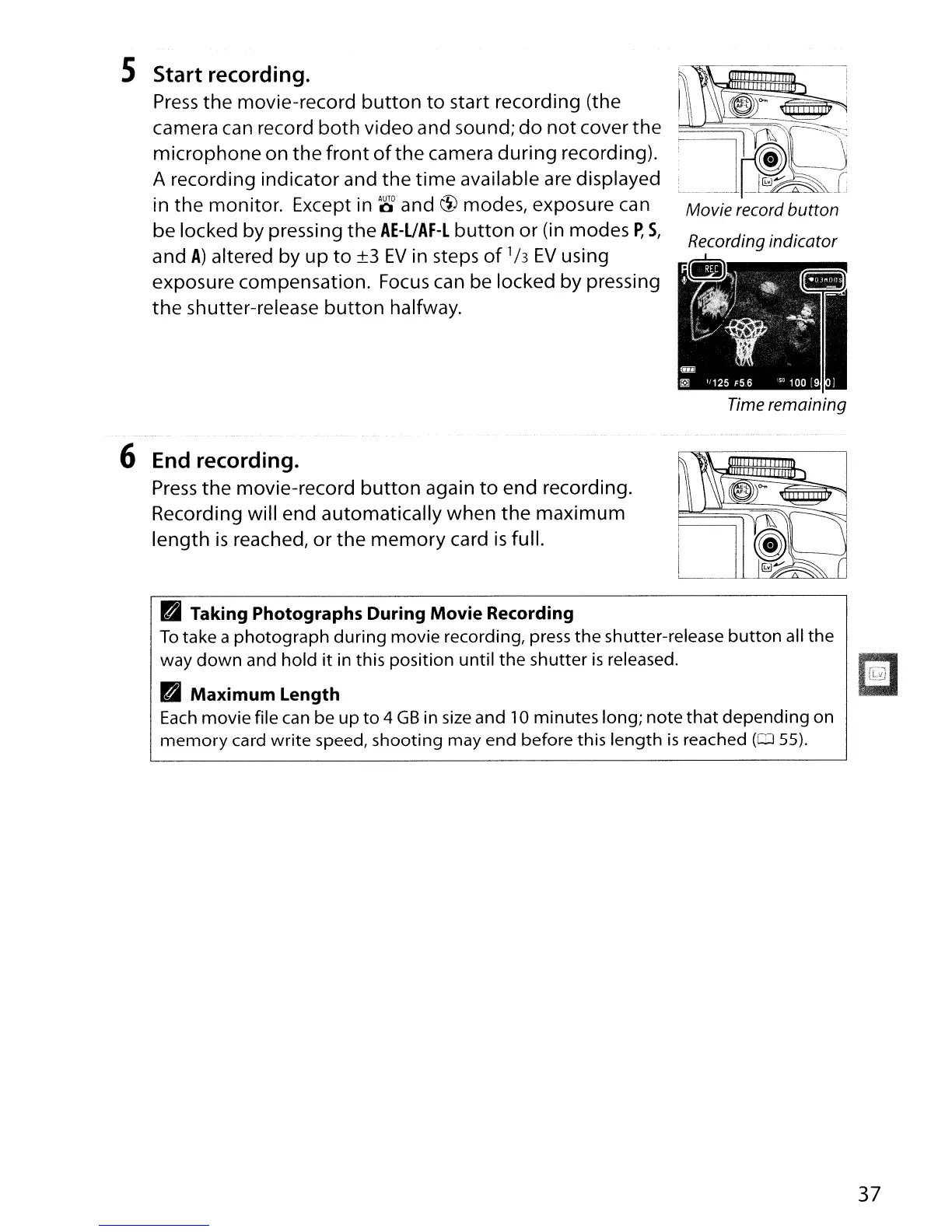
5 Start recording.
Press
the movie-record
button
to
start recording (the
camera
can
record
both
video and sound;
do
not
cover the
microphone on
the
front
of
the camera during recording).
A recording indicator and the
time
available are displayed
in the monitor. Except
in
00
and
c1>
modes, exposure
can
be locked by pressing
the
AE-UAF-L
button
or (in modes
P,
5,
and
A)
altered by up
to
±3
EV
in steps
of
1/3
EV
using
exposure compensation.
Focus
can
be locked by pressing
the
shutter-release
button
halfway.
6 End recording.
Press
the
movie-record
button
again
to
end recording.
Recording will end automatically when the maximum
length
is
reached, or
the
memory
card
is
full.
~
--I
~
I~
~~I:'~I
Movie record button
Time remaining
lit
Taking Photographs During Movie Recording
To
take a photograph during movie recording, press the shutter-release
button
all the
way
down
and hold
it
in this position until the shutter
is
released.
lit
Maximum Length
Each
movie file
can
be
up
to 4
GB
in
size
and
10
minutes long; note
that
depending on
memory
card write speed, shooting may end before this length
is
reached
(OJ
55).
37



 To Next Page