6
Step 1: Connecting an Ethernet Cable
After starting the computer and logging in, ready the camera as
described below. Do not turn the camera off or disconnect the
Ethernet cable while data are being transferred to the computer.
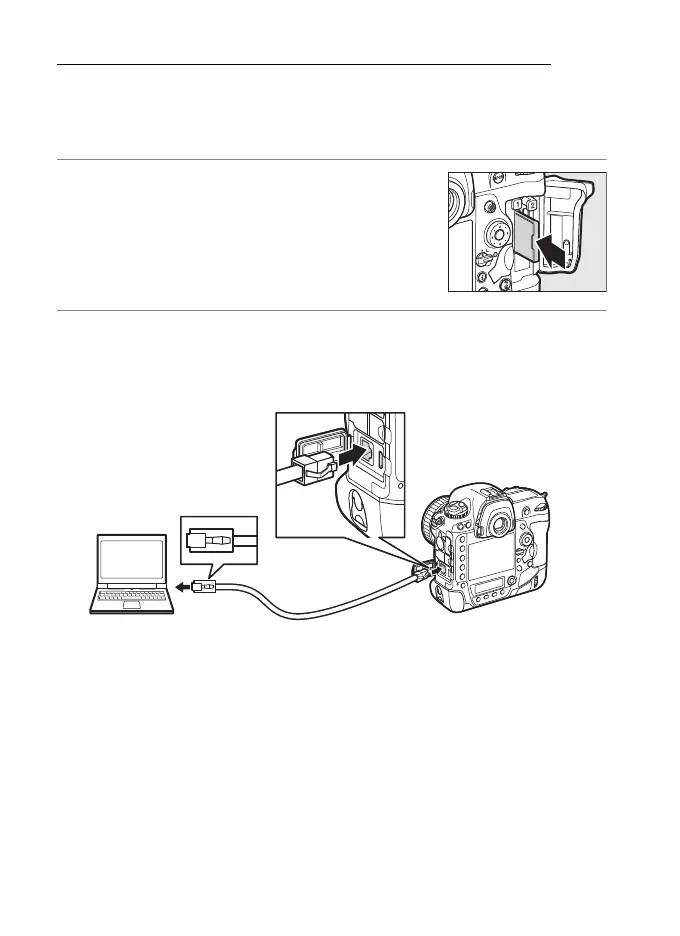
1 Insert a memory card.
Turn the camera off and insert a memory
card. This step can be omitted in camera
control mode (018).
2 Connect an Ethernet cable.
Connect the Ethernet cable as shown below. Do not use force
or insert the connectors at an angle.



 To Next Page