12
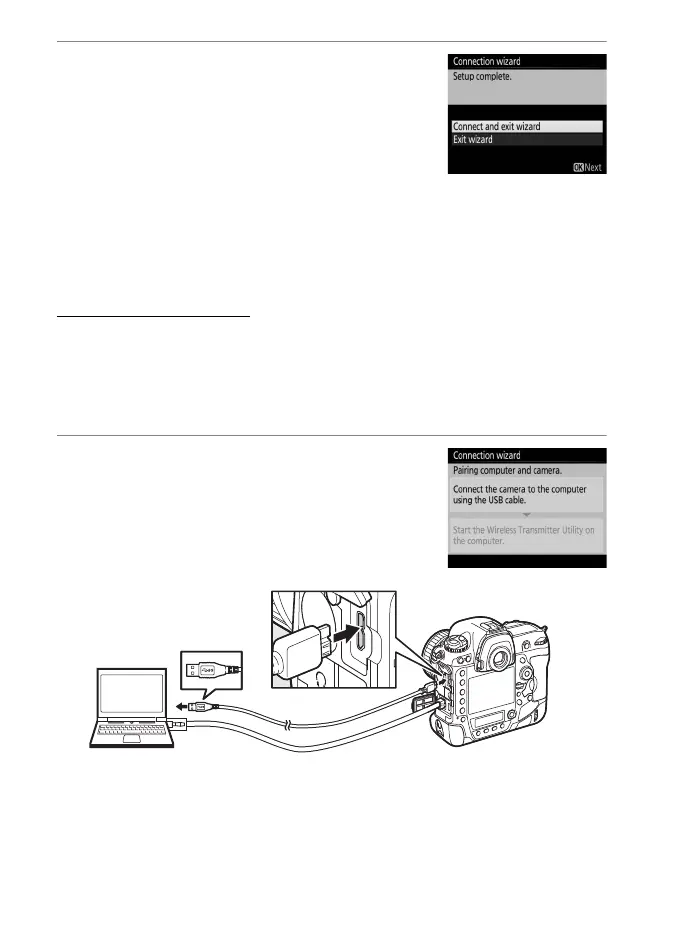
8 Exit the wizard.
Highlight one of the following options
and press J.
• Connect and exit wizard: Save the new
network profile and connect to the
server.
• Exit wizard: Save the new network profile and exit.
Proceed to “HTTP Server” (021).
Step 4: Pairing
If you selected Image transfer or Camera control in Step 4 of the
connection wizard (09), pair the camera with the computer as
described below. Pairing allows the computer to connect to the
camera.
1 Connect the camera to the
computer via USB.
When prompted, connect the camera to
the computer using the USB cable
supplied with the camera.



 To Next Page