13
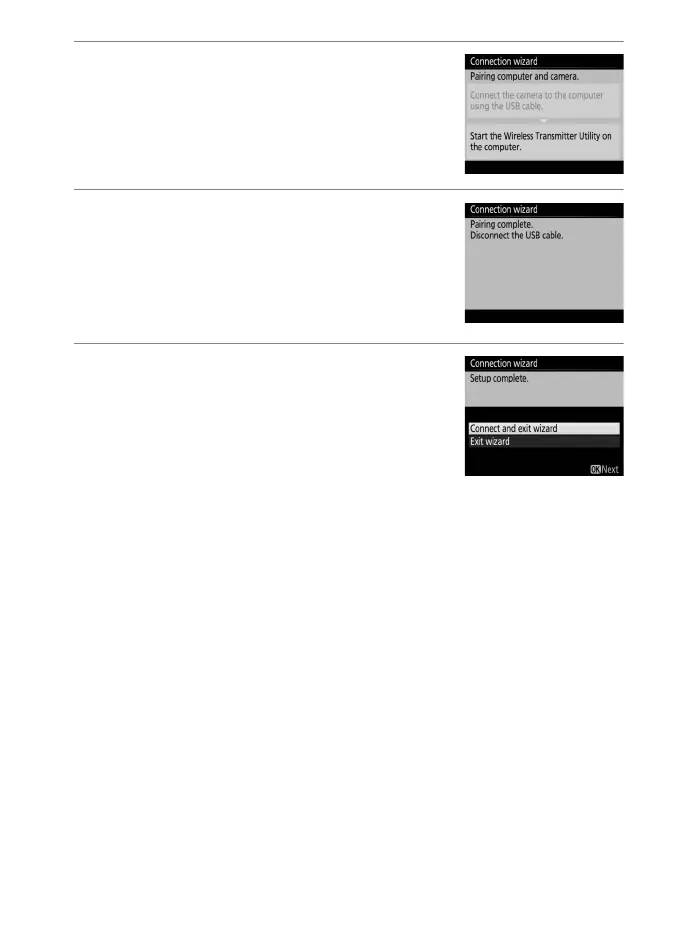
2 Start the Wireless Transmitter Utility.
When prompted, start the copy of the
Wireless Transmitter Utility installed on
the computer. Pairing will begin
automatically.
3 Disconnect the camera.
The message at right will be displayed
when pairing is complete. Disconnect the
USB cable.
4 Exit the wizard.
Highlight one of the following options
and press J.
• Connect and exit wizard: Save the new
network profile and connect to the
server.
• Exit wizard: Save the new network profile and exit.
Proceed to “Image Transfer” (014) or “Camera Control” (0 18).



 To Next Page