18
Camera Control
Select this option to control the camera from a computer running
Camera Control Pro 2 (available separately) and save photographs
directly to the computer hard disk instead of the camera memory
card (movies will still be saved to the camera memory card; insert a
memory card before shooting movies). Note that the camera
standby timer will not expire when the camera is in camera control
mode.
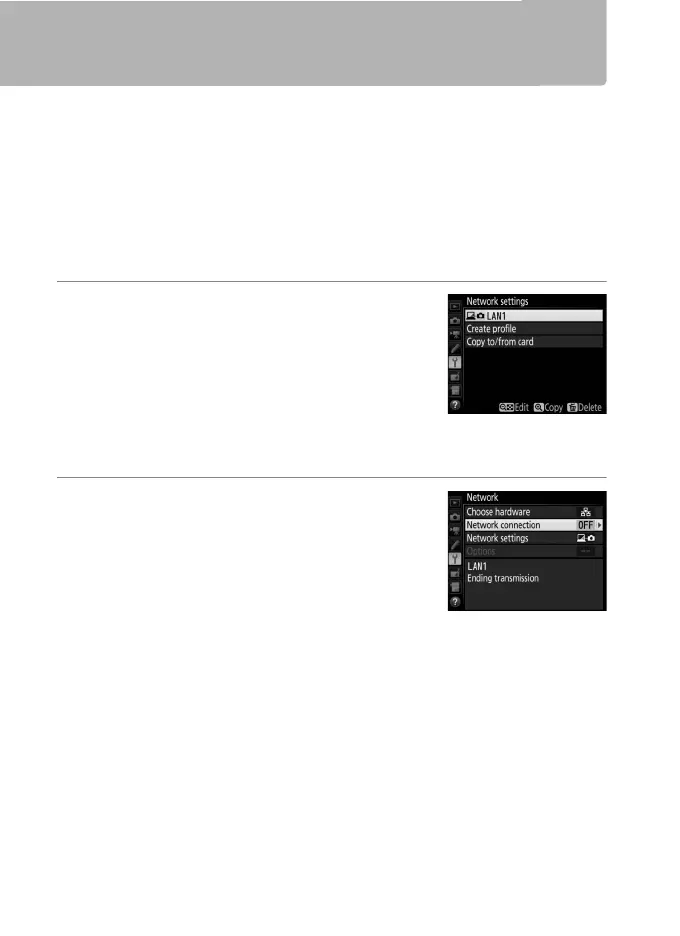
1 Display network profiles.
In the setup menu, select Network >
Network settings to display the profiles
list. Camera control profiles are indicated
by a L icon. Highlight a profile and
press J to select the highlighted profile
and return to the network menu.
2 Select Network connection.
Highlight Network connection and
press 2.



 To Next Page