50
Selecting Wireless LAN for Synchronized
Release
Select wireless LAN for all cameras that will be used in synchronized
release mode.
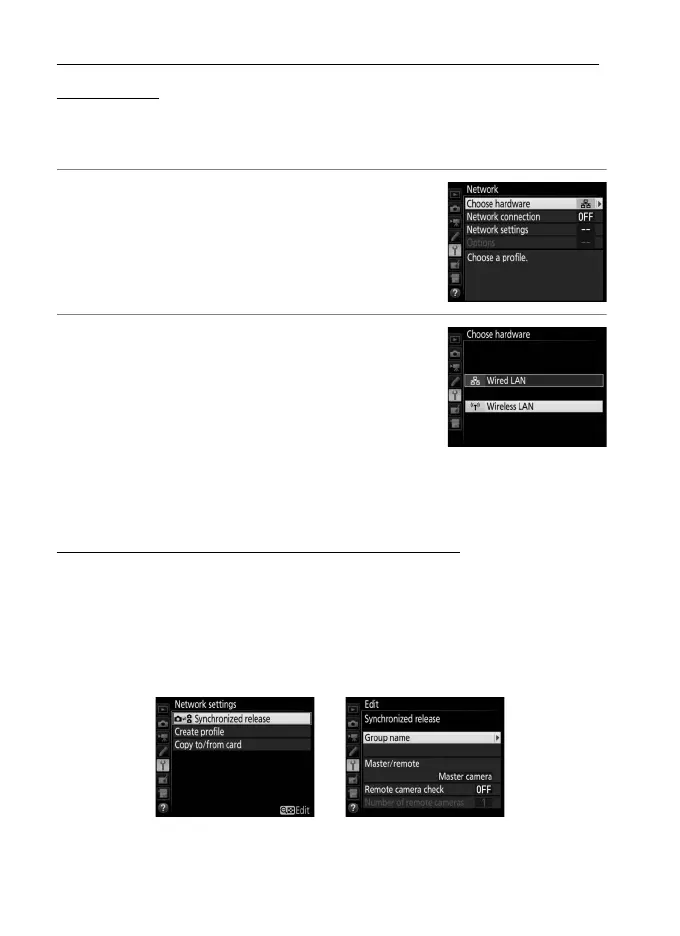
1 Select Choose hardware.
In the setup menu, select Network >
Choose hardware.
2 Select Wireless LAN.
Highlight Wireless LAN and press J to
return to the network menu.
Synchronized Release Options
The following options are available for synchronized release:
Group name, Master/remote, Remote camera check, and
Number of remote cameras. To view synchronized release
settings, select Network > Network settings in the setup menu,
highlight Synchronized release, and press W (M).



 To Next Page