40
Step 1: Connecting an Ethernet Cable
After starting the ftp server, connect the camera as described
below. Do not turn the camera off or disconnect the Ethernet
cable while data are being exchanged with the ftp server.
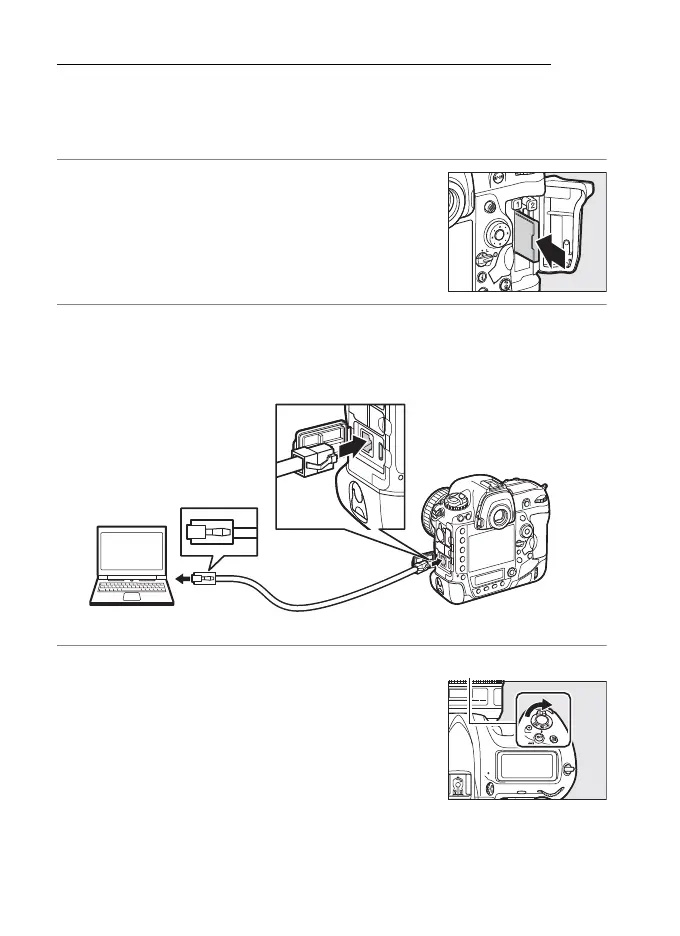
1 Insert a memory card.
Turn the camera off and insert a memory
card.
2 Connect an Ethernet cable.
Connect the camera to the ftp server as shown below. Do not
use force or insert the connectors at an angle.
3 Turn the camera on.
Rotate the power switch to turn the
camera on.



 To Next Page