22
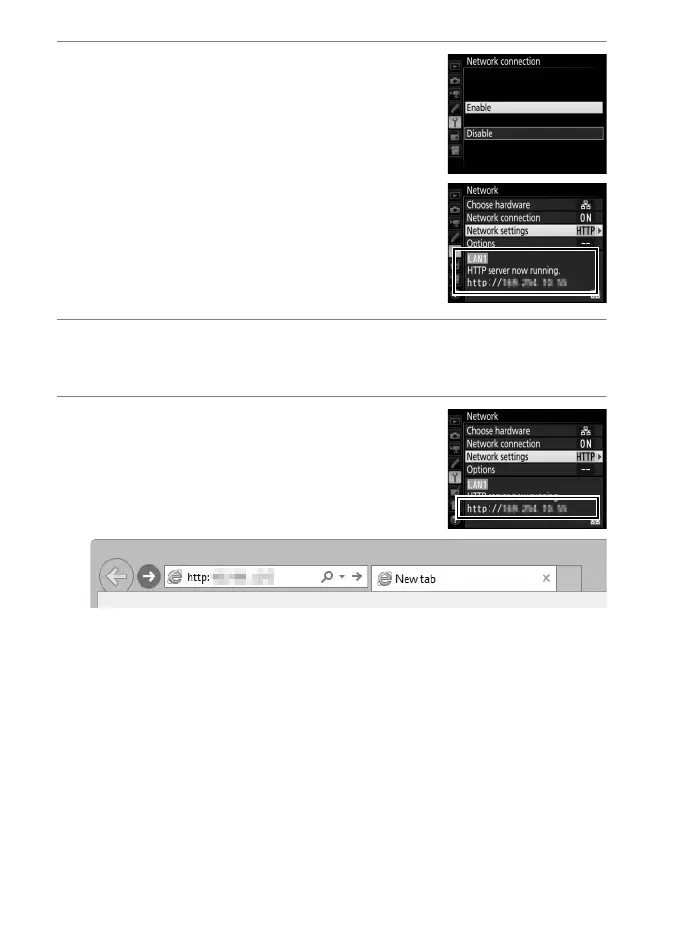
3 Select Enable.
Highlight Enable and press J to
connect to the network and return to
the network menu.
The URL used for connection to the
camera is displayed when a connection
is established.
4 Launch the web browser.
Launch the web browser on the computer or smart device.
5 Enter the camera URL.
Enter the camera URL (“http://” followed
by the camera IP address, as shown in the
network menu) in the browser window
address field.



 To Next Page