93
Setup Custom Settings
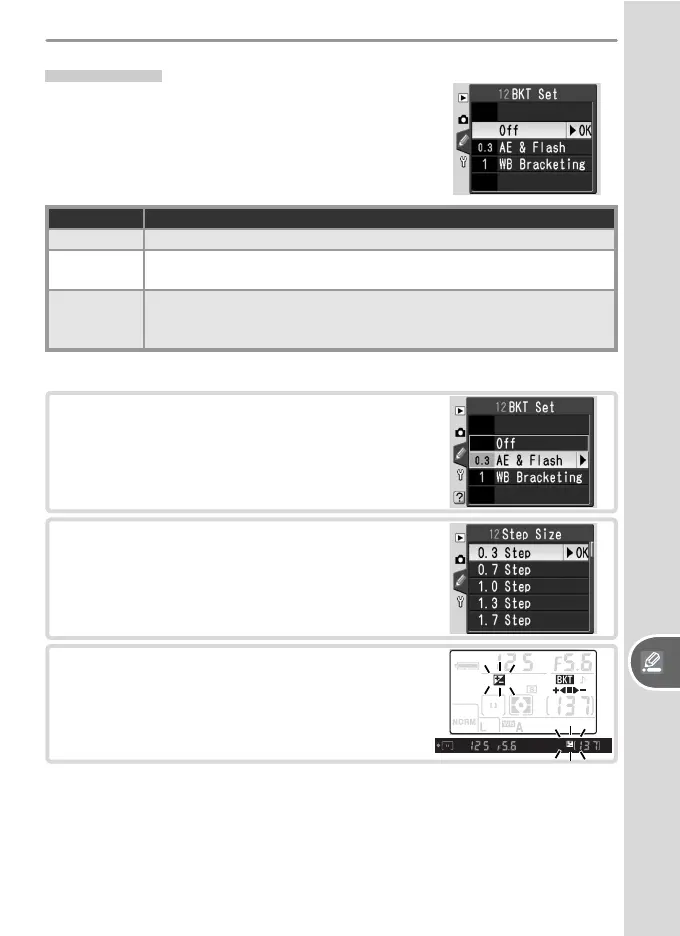
12: BKT Set
In P, S, A, and M modes, the camera offers the
following bracketing options:
Option Description
Off (default) No bracketing performed.
AE & Flash
Camera varies exposure and fl ash level over three shots, “bracket-
ing” optimal exposure value.
WB
Bracketing
Camera creates three images each time shutter is released, “bracket-
ing” current white balance setting. Not available at image qualities
of NEF (Raw) or NEF+JPEG Basic.
Exposure and Flash Bracketing
1
Highlight AE & Flash and press the multi
selector to the right.
2
Highlight a bracketing increment and press
the multi selector to the right. The settings
available depend on the option selected for
Custom Setting 11 (EV Step).
3
Press the shutter-release button halfway to
exit to shooting mode. The display shown
at right will appear in the control panel and
viewfi nder.



 To Next Page