149Playback and Deletion
Slide Shows
The Slide show option in the playback menu is used to display a slide show of the
pictures in the current playback folder (
0 175).
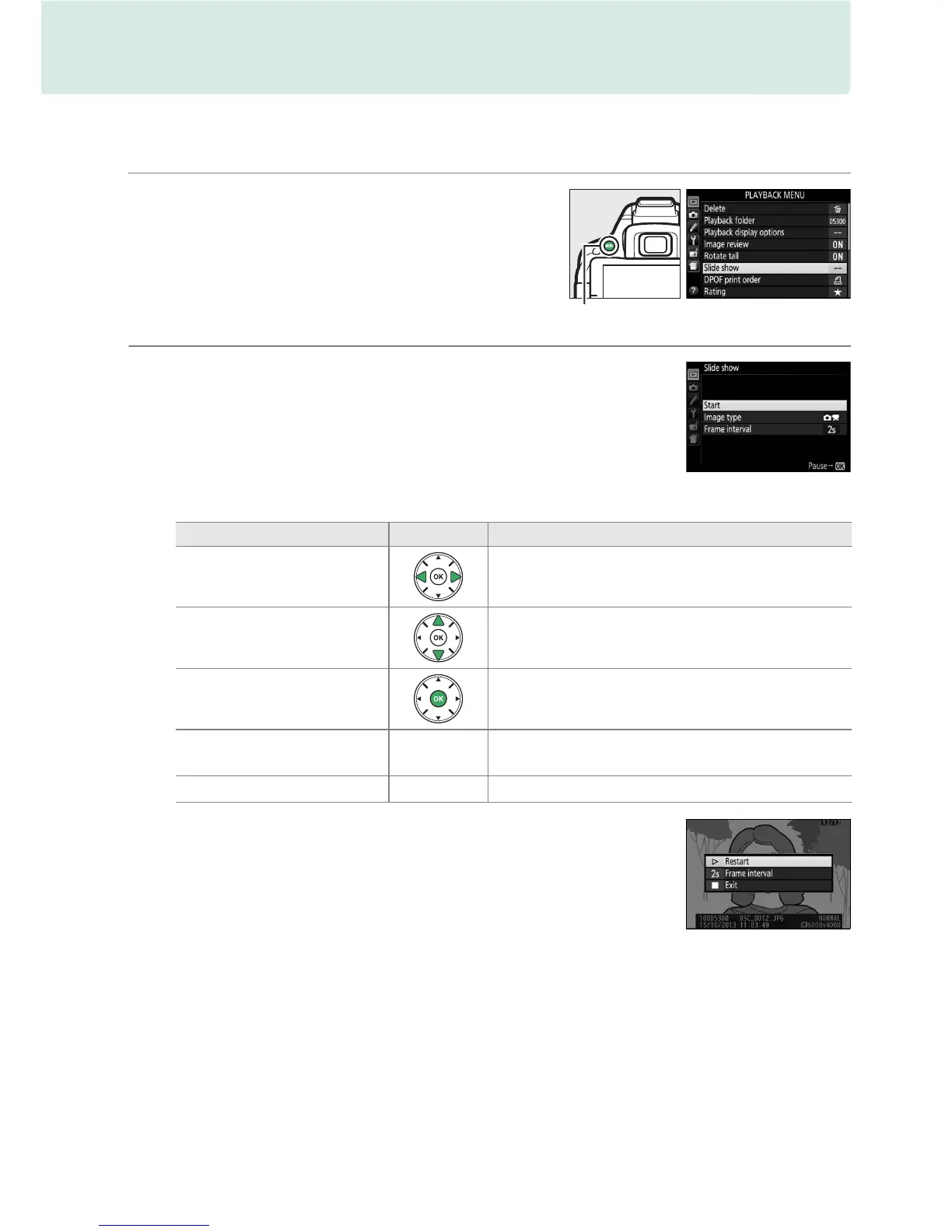
1 Select Slide show.
To display the slide show menu, press the
G button and select Slide show in the
playback menu.
2 Start the slide show.
Highlight Start in the slide show menu and
press J.
The following operations can be performed while the slide show is in progress:
The dialog shown at right is displayed when the show ends.
Select Restart to restart or Exit to return to the playback menu.
To Use Description
Skip back/skip ahead
Press 4 to return to previous frame, 2 to skip
to next frame.
View additional photo info Change photo info displayed (0 136).
Pause/resume slide show Pause show.
Press again to resume.
Raise/lower volume
X / W (Q)
Press X during movie playback to increase
volume, W (Q) to decrease.
Exit to playback mode
K
End show and return to playback mode.
G button



 To Next Page