20 “Point-and-Shoot” Modes (i and j)
Framing Photos in the Viewfinder
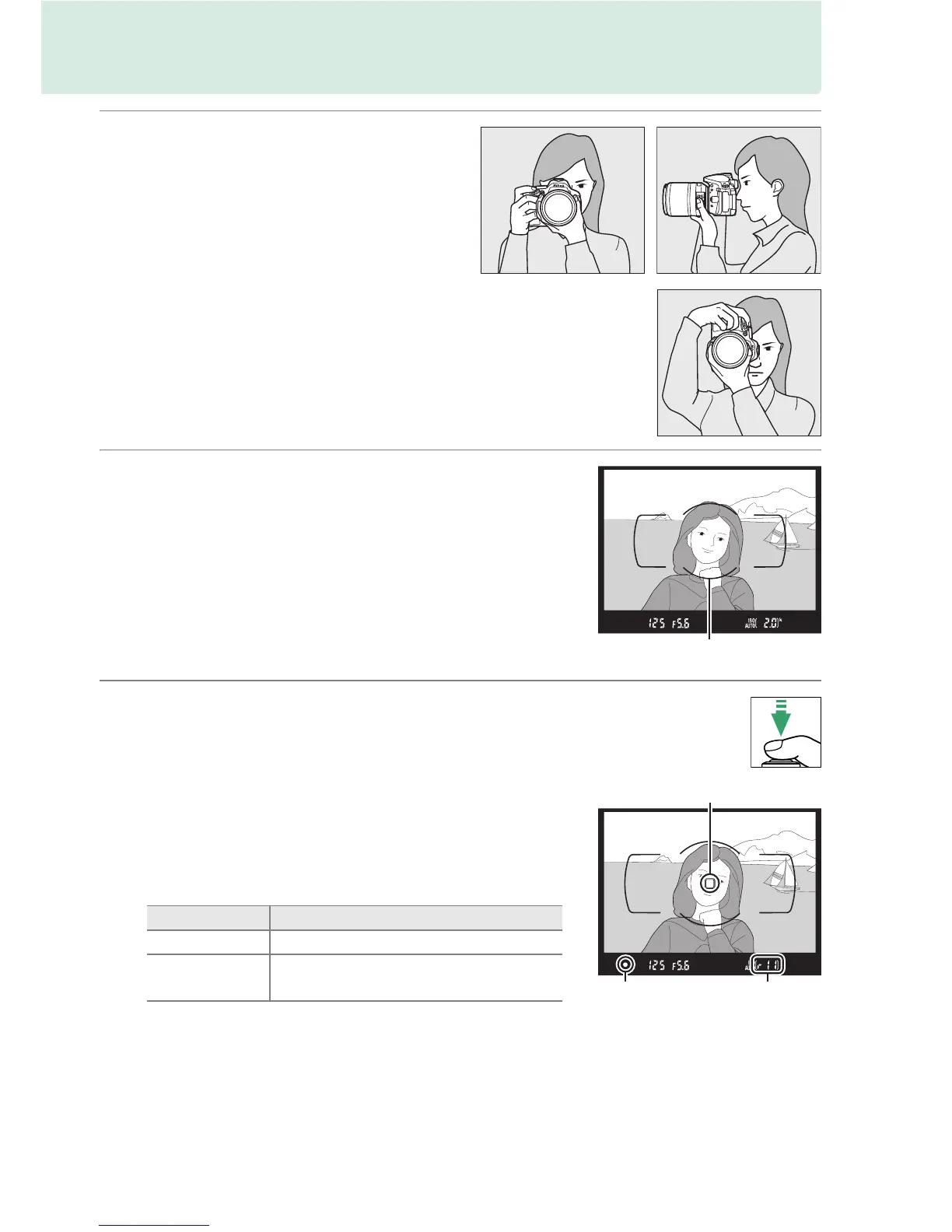
1 Ready the camera.
When framing photographs in the
viewfinder, hold the handgrip in your
right hand and cradle the camera
body or lens with your left.
When framing photographs in portrait (tall) orientation,
hold the camera as shown at right.
2 Frame the photograph.
Frame a photograph in the viewfinder with the
main subject in the AF area brackets.
3 Press the shutter-release button halfway.
Press the shutter-release button halfway to focus
(if the subject is poorly lit, the flash may pop up
and the AF-assist illuminator may light). When
the focus operation is complete, a beep will
sound (a beep may not sound if the subject is
moving) and the active focus point and in-focus
indicator (I) will appear in the viewfinder.
In-focus indicator Description
I Subject in focus.
I (flashes)
Camera unable to focus using
autofocus.
See page 52.
AF area brackets
Focus point
In-focus
indicator
Buffer
capacity



 To Next Page