174 Wi-Fi
Selecting Multiple Pictures for Upload
To change the upload status of multiple pictures, use the Select to send to smart
device option in the playback menu.
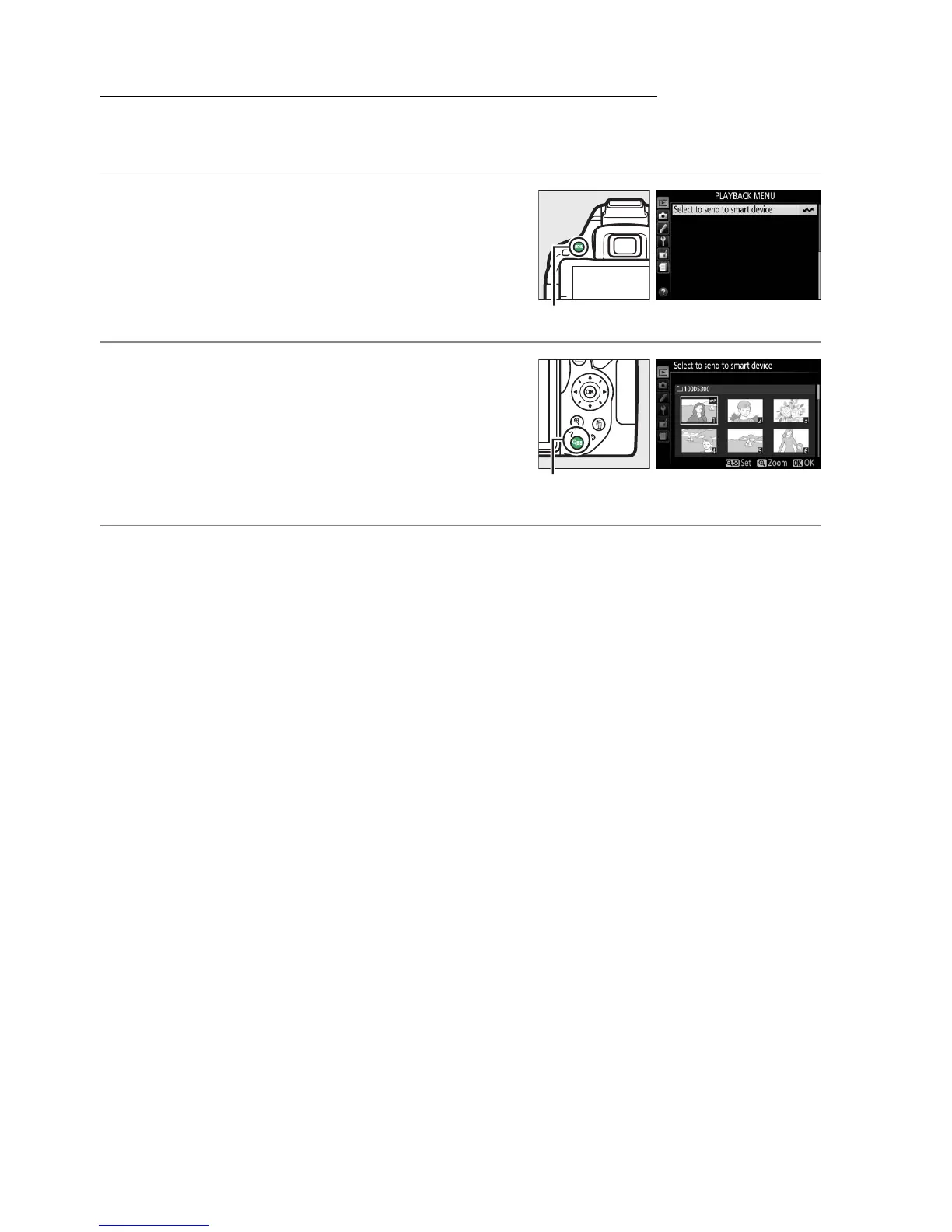
1 Choose Select to send to smart device.
To display the menus, press the G button.
Highlight Select to send to smart device in
the playback menu and press 2.
2 Select pictures.
Use the multi selector to highlight pictures
and press W (Q) to select or deselect (to
view the highlighted picture full screen,
press and hold the X button).
Selected
pictures are marked by a & icon.
3 Press J.
Press J to complete the operation.
G button
W (Q) button



 To Next Page