157
x
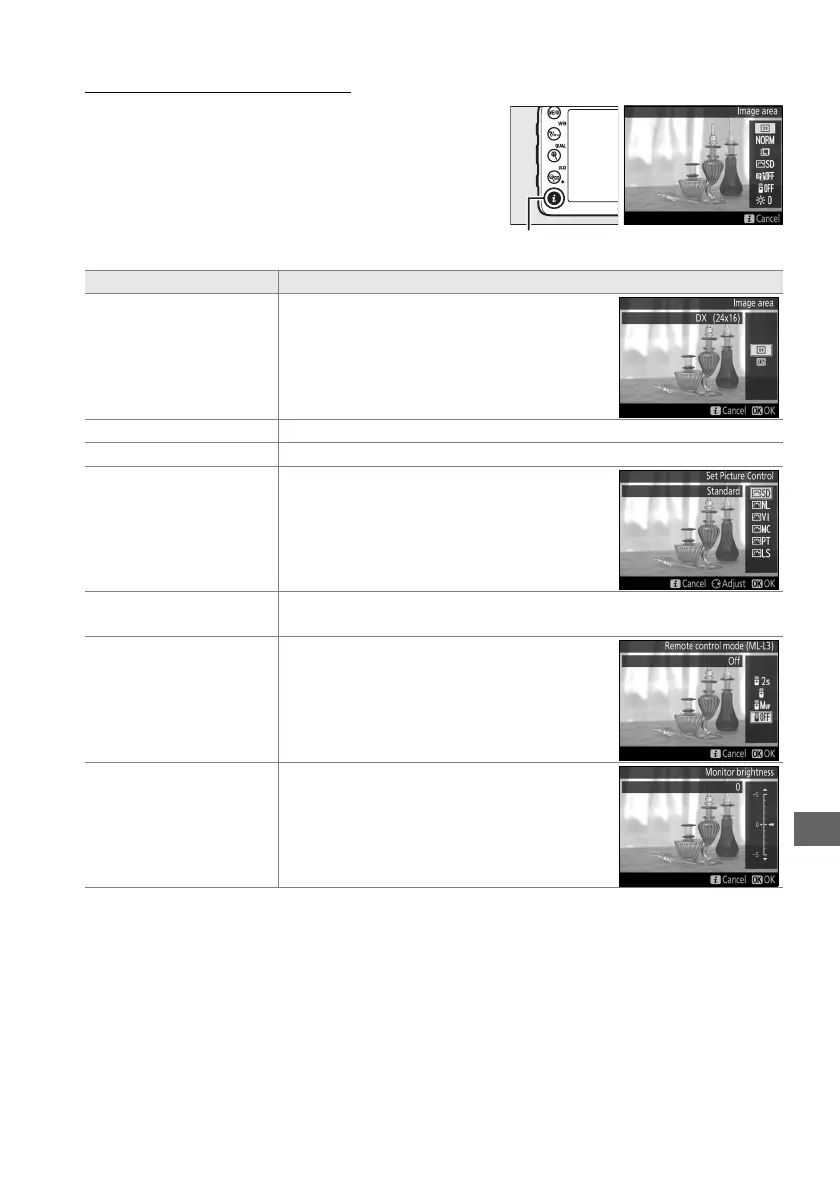
Using the P Button
The options listed below can be accessed by
pressing the P button during live view
photography.
Highlight items using the multi
selector and press 2 to view options for the
highlighted item.
After choosing the desired
setting, press J to exit.
Option Description
Image area
Choose from the DX (24×16) and 1.3×
(18×12) image areas (0 63).
Image quality Choose image quality (0 66).
Image size Choose image size (0 68).
Set Picture Control
Choose a Picture Control (0 105).
Active D-Lighting
Adjust Active D-Lighting to preserve details in highlights and
shadows (0 113).
Remote control mode (ML-L3)
Choose from Delayed remote, Quick-
response remote, and Remote mirror-up
modes for remote control photography
using the optional ML-L3 remote control
(0 127).
Monitor brightness
Press 1 or 3 to adjust monitor brightness
for live view.
Changes to monitor
brightness have no effect on photographs
recorded with the camera.
P button



 To Next Page