193
I
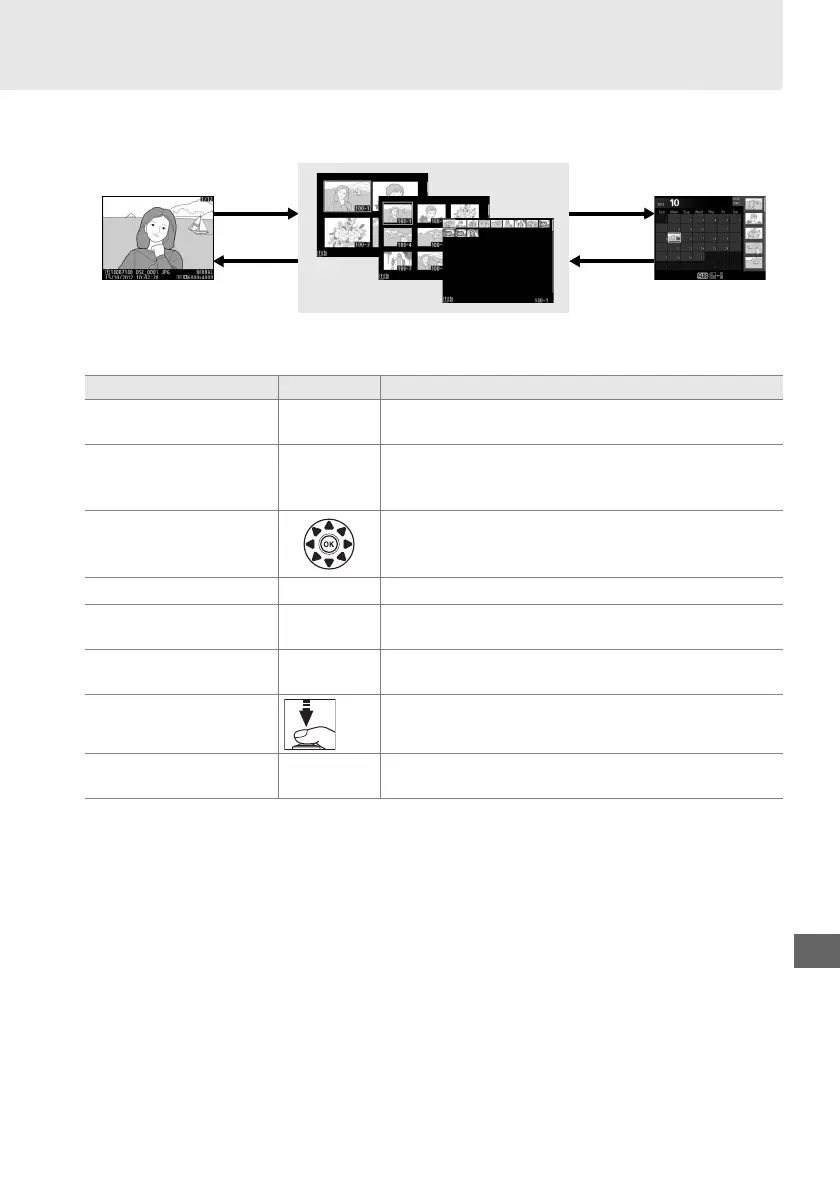
Thumbnail Playback
To display images in “contact sheets” of four, nine, or 72 images, press the W (S)
button.
Full-frame
playback
Thumbnail playback Calendar
playback
To Use Description
Display more images W (S)
Press W (S) to increase the number of images
displayed.
Display fewer images X (T)
Press X (T) to reduce the number of images
displayed.
When four images are displayed, press to
view highlighted image full frame.
Highlight images
Use multi selector to highlight images for full-frame
playback, playback zoom (0 195), deletion (0 197),
or protection (0 196).
View highlighted image J Press J to display the highlighted image full frame.
Delete highlighted
image
O (Q) See page 197 for more information.
Change protect status of
highlighted image
L (U) See page 196 for more information.
Return to shooting
mode
/
K
Monitor will turn off.
Photographs can be taken
immediately.
Retouch photo or trim
movie
P
Create retouched or trimmed copy of current
photograph or movie (0 173, 273).
W (S)
X (T)
W (S)
X (T)



 To Next Page