59
k
Self-Timer Mode
The self-timer can be used to reduce camera shake or for self-portraits.
Before
shooting, mount the camera on a tripod or place the camera on a stable, level
surface.
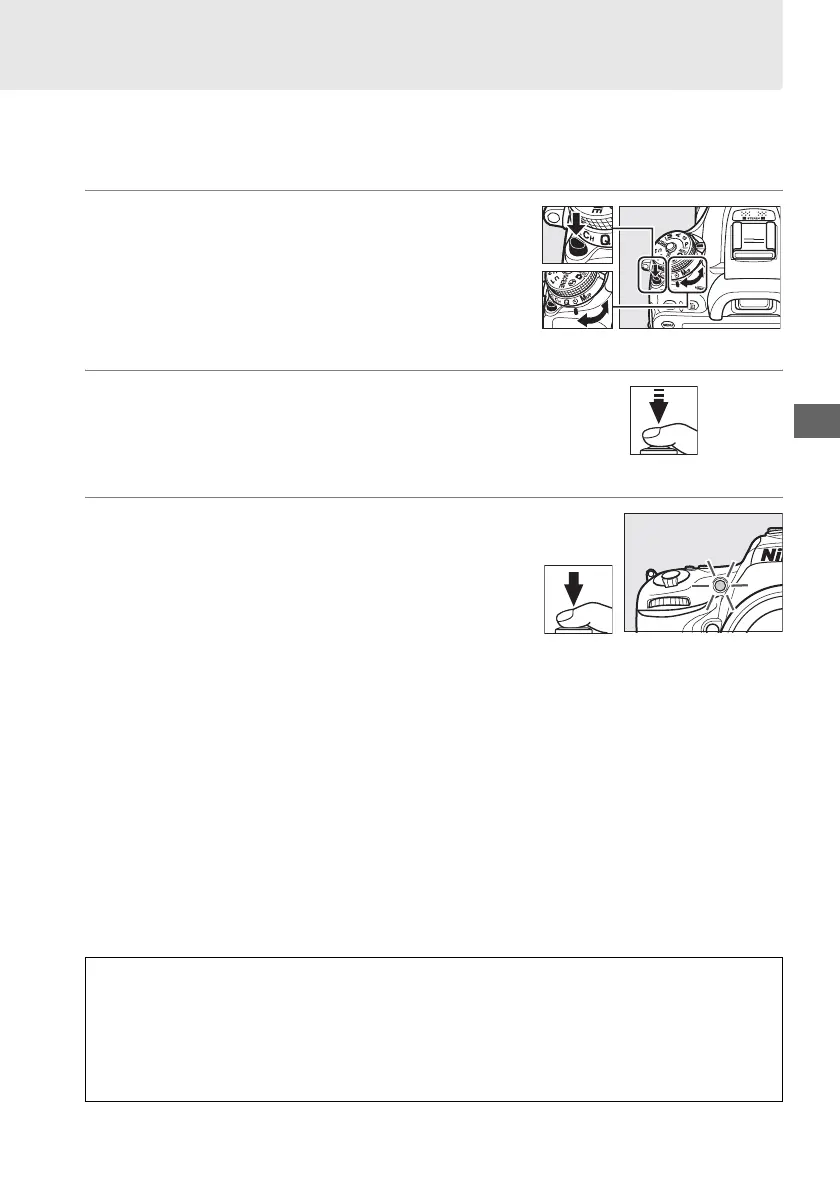
1 Select self-timer mode.
Press the release mode dial lock release and turn
the release mode dial to E.
2 Frame the photograph and focus.
In single-servo autofocus (0 71), photographs
can only be taken if the in-focus (I) indicator
appears in the viewfinder.
3 Start the timer.
Press the shutter-release button all the way
down to start the timer. The self-timer lamp will
start to flash.
Two seconds before the
photograph is taken, the self-timer lamp will
stop flashing.
The shutter will be released about
ten seconds after the timer starts.
To turn the self-timer off before a photograph is taken, turn the release mode dial to
another setting.
D Using the Built-in Flash
Before taking a photograph with the flash in P, S, A, M, or 0 modes, press the M (Y) button to
raise the flash and wait for the M indicator to be displayed in the viewfinder (0 119).
Shooting will be interrupted if the flash is raised after the self-timer has started.
Note that
only one photograph will be taken when the flash fires, regardless of the number of
exposures selected for Custom Setting c3 (Self-timer; 0 237).
Release mode dial



 To Next Page