85
r
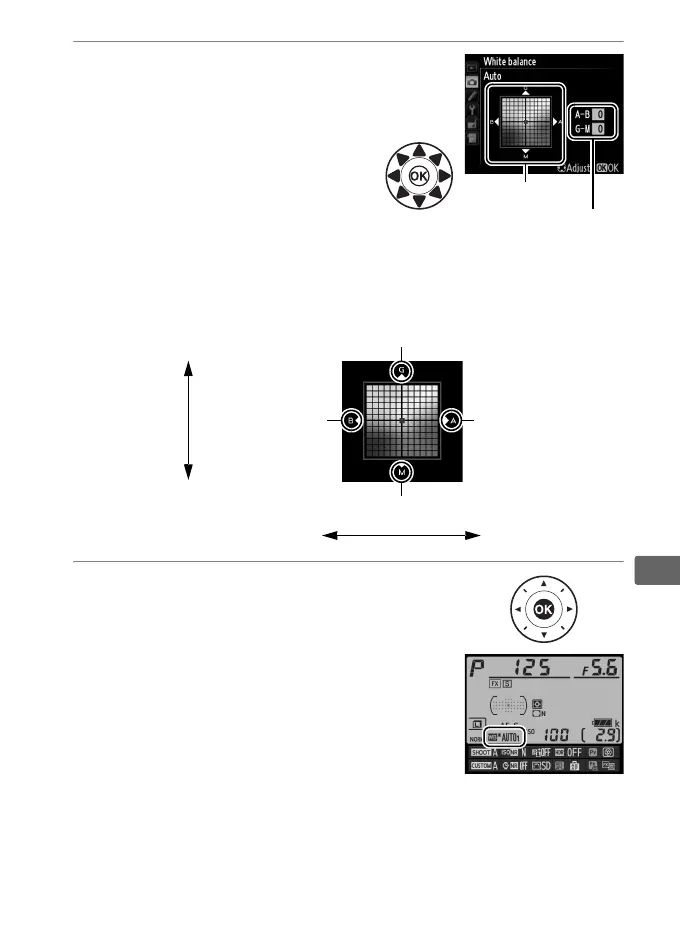
2 Fine tune white balance.
Use the multi selector to fine-
tune white balance.
White
balance can be fine-tuned on
the amber (A)–blue (B) axis and
the green (G)–magenta (M) axis.
The horizontal (amber-blue)
axis corresponds to color
temperature, with each increment equivalent to about 5
mired.
The vertical (green-magenta) axis has the similar
effects to the corresponding color compensation (CC) filters.
3 Press J.
Press J to save settings and return to
the shooting menu. Fine-tuning is
indicated by an asterisk (“E”) in the
information display.
Adjustment
Coordinates
Increase green
Increase magenta
Increase blue Increase amber
Green (G)
Magenta (M)
Blue (B) Amber (A)



 To Next Page