168
t
❚❚ Taking Pictures with Non-AI Lenses
The lack of an AI mechanism means that camera controls can not
be used to set aperture when a non-AI lens is attached.
For
optimal exposure, you must manually match the camera aperture
setting to the lens.
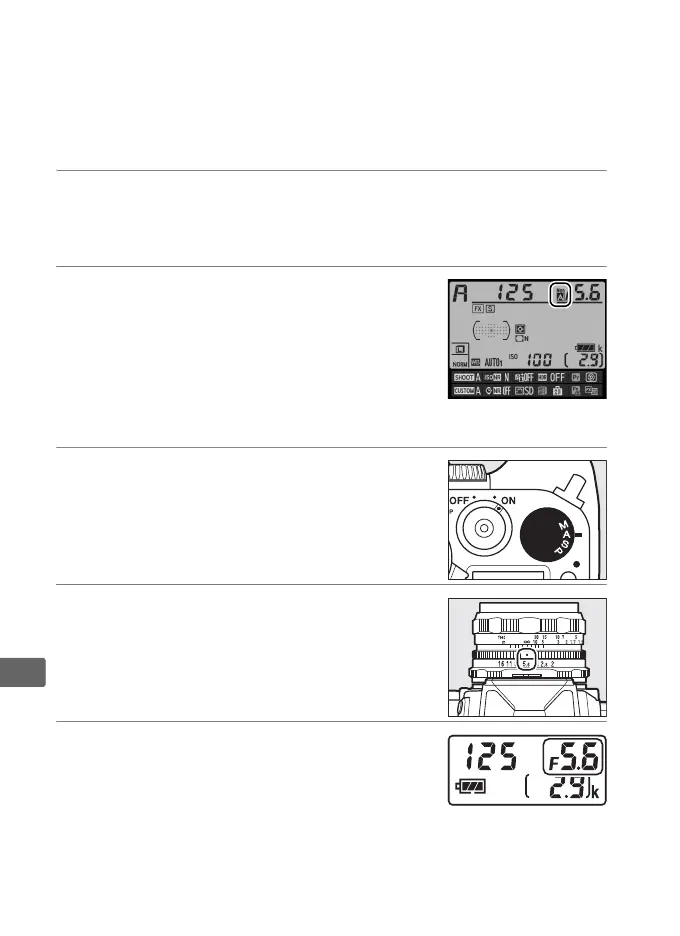
1 Attach the lens.
Attach a non-AI lens for which you have previously provided
lens data (0 164).
2 Select the lens number (0 166).
Confirm that Non-AI lens is selected for
Non-CPU lens data > Exposure meter
coupling.
“F” will flash in the control panel and f
will appear in the information display.
3 Select exposure mode A or M.
Rotate the exposure mode dial to A or M.
4 Adjust aperture.
Choose an aperture using the lens
aperture ring.
5 Match the camera aperture setting
to the lens.
While the exposure meters are on,
rotate the sub-command dial to set the
camera to the aperture selected in Step 4.



 To Next Page