Chapter 6 Operation Method
3 Installing the DS-U2 Device Driver
- 26 -
(4) Check that the driver is installed.
Check that the driver is installed without any troubles.
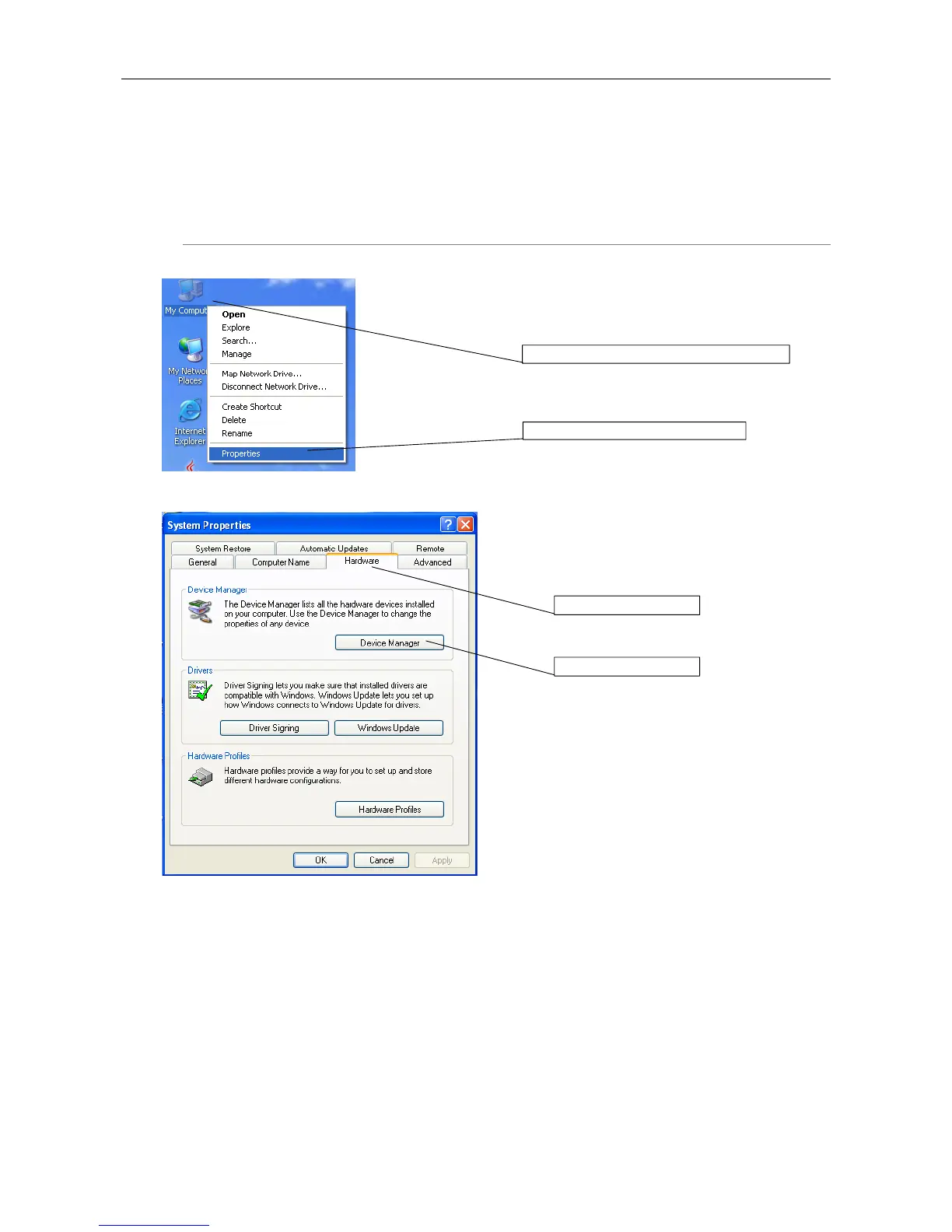
Operation procedure
My Computer menu
Right-click the My Computer icon and select
Properties from the shortcut menu.
System Properties
Click the Hardware tab, then click Device Manager (D)
in the Hardware panel.
1. Click the My Computer icon.
2. Click Properties.
2. Click here.
1. Click here.











 To Next Page