57
56
If meter has automatically turned off and LCD panel is off,
turn meter on again by lightly pressing shutter release
button.
With lenses having no CPU, ° appears
instead of aperture value in LCD panel and
viewfinder.
With AI-type lenses including AI-modified Nikkor
lenses: Confirm aperture value on lens barrel.
With lenses having fixed aperture, such as Reflex-
Nikkor lenses: Aperture cannot be changed.
With lenses having no auto diaphragm such as PC-
Nikkor lenses: Switch to Manual exposure mode (pages
58 to 60).
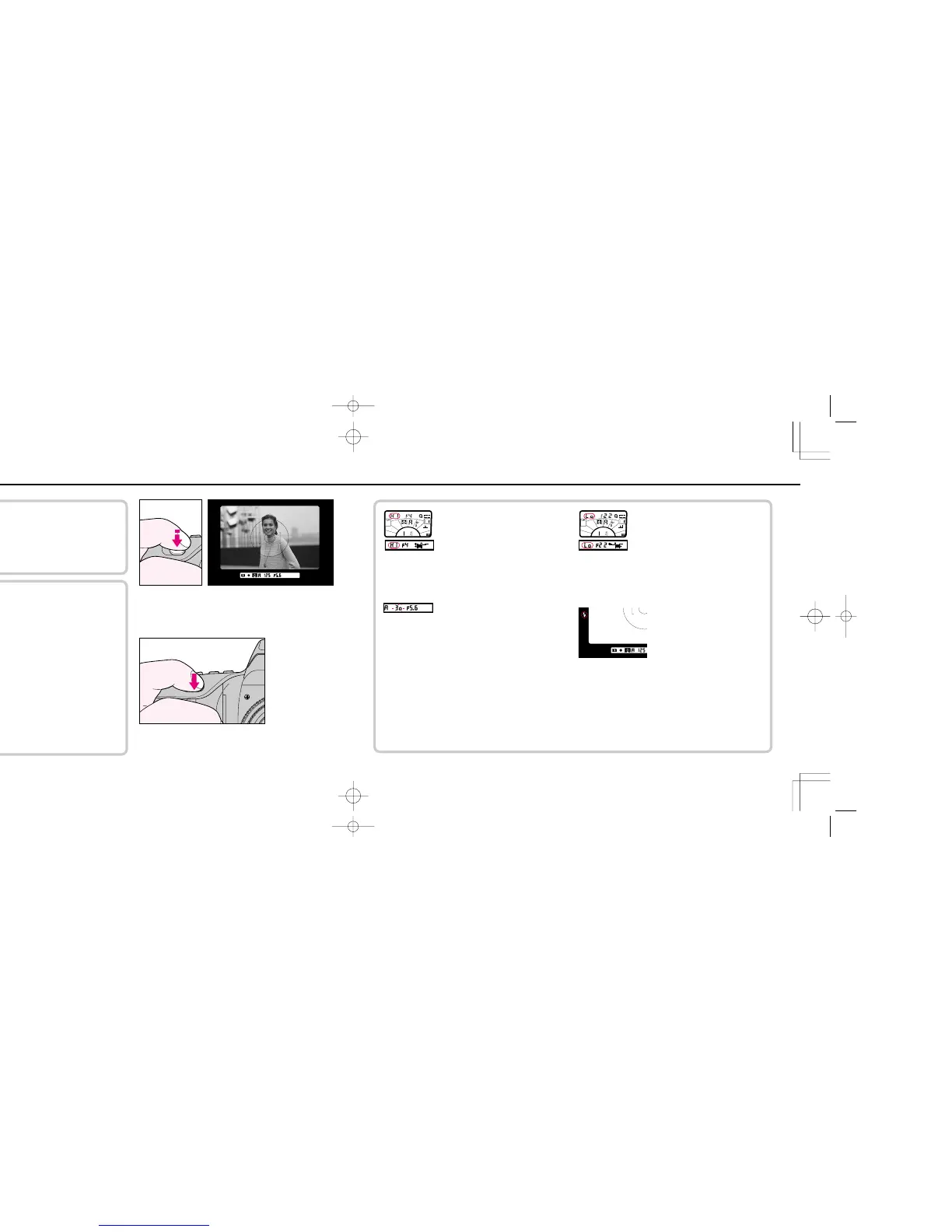
3
Look inside viewfinder, compose and lightly press shutter
release button. Confirm automatically set shutter speed.
If ⁄ appears in the shutter speed position with
electronic analog display*––Overexposure alert: Select a
smaller aperture (larger f-number) or use ND filter.
If shutter speed indication blinks inside viewfinder—
picture blur possibility: The automatically selected shutter
speed is 1/50 sec. or slower and picture blur may occur due
to camera shake. To reduce possibility of blur, hold camera
very steady, use a tripod or use the built-in flash or an
accessory Nikon Speedlight. Selecting a wider aperture
(smaller f-number) results in a higher shutter speed.
If ¤ appears in the shutter speed position with
electronic analog display*––Underexposure alert:
Select a wider aperture (smaller f-number), or use built-in
flash or accessory Nikon Speedlight.
If green j mark appears––Flash photography
recommended: If subject brightness is insufficient, flash
recommended light lights up. Use built-in flash or
accessory Nikon Speedlight.
* Shows value difference from correct exposure. If difference is beyond ±1 EV, ˇ for underexposure or
† for overexposure appears.
4
To take the picture, fully depress shutter release button.
F70D I/MêÊçsâ¸í˘ 03.1.16 5:33 PM Page 56













 To Next Page