5958
1
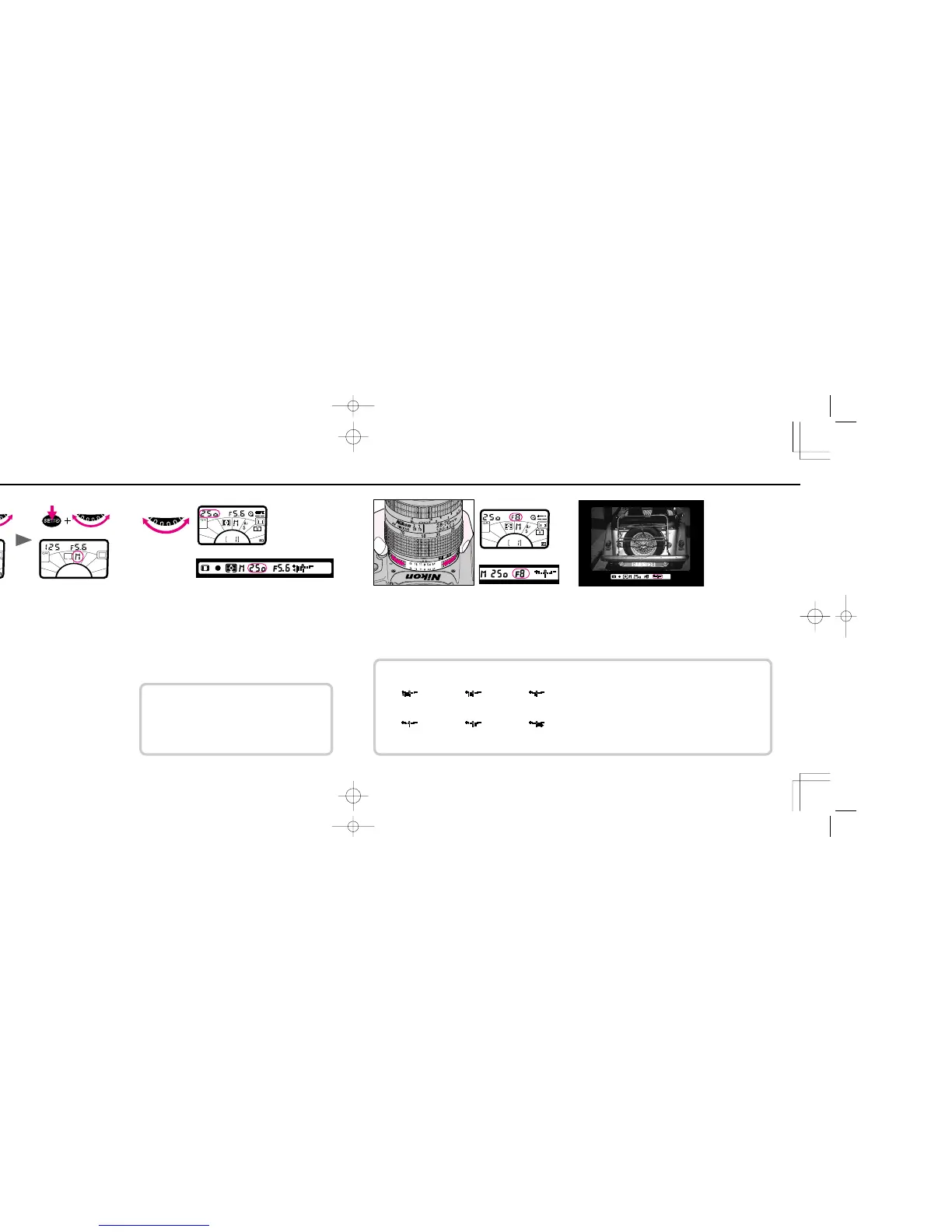
Hold FUNCTION button and rotate command dial until the
Function Area indicator appears in the Exposure Mode
Area and exposure mode symbol blinks. Hold SET/! button
and rotate command dial until G appears on LCD panel. G also
appears in the viewfinder.
• If using an AF Nikkor or AI-P lens, make sure it is not locked
to smallest aperture before proceeding to next step.
OPERATION IN MANUAL EXPOSURE MODE
2
Remove finger from SET/! button, set shutter speed by
rotating command dial.
• In Manual exposure mode, you can set shutter speed to fi
for long time exposure by rotating command dial. For details
about fi setting, see page 83.
If meter has automatically turned off and LCD readout is
off, turn meter on again by lightly pressing shutter
release button.
Set aperture by rotating lens aperture ring.
3
Look into viewfinder, compose and lightly press shutter
release button.
Adjust aperture and/or shutter speed (by rotating lens aperture
ring/command dial) until electronic analog display shows “0” or
desired amount.
Electronic analog display examples
Over +1EV +1EV +1/3EV
±0EV
-2/3EV Below -1EV
Electronic analog display blinks when the shutter speed/
aperture set on the camera is beyond the metering range of the
F70/F70D
.
F70D I/MêÊçsâ¸í˘ 03.1.16 5:33 PM Page 58













 To Next Page