1716
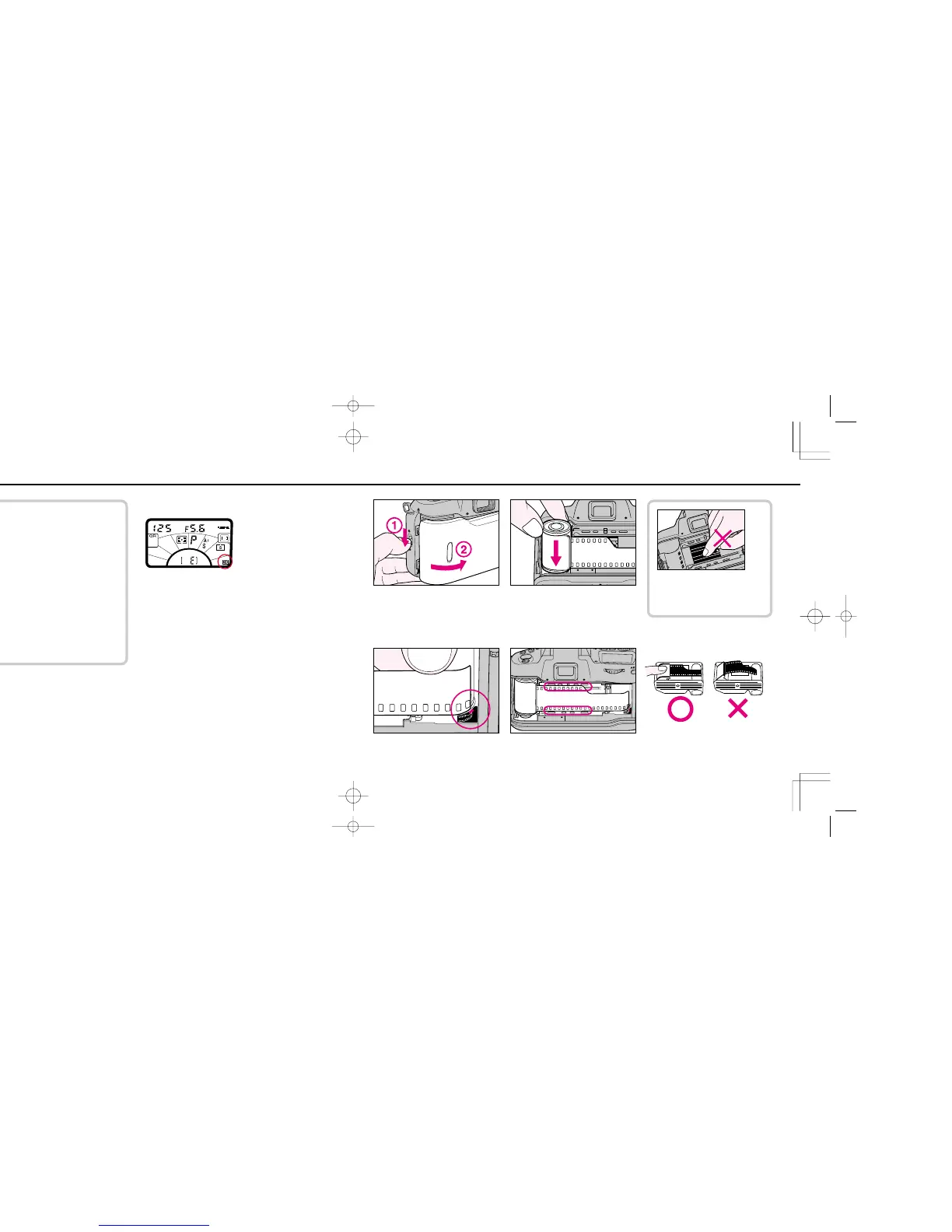
LOADING FILM
The loading film procedure on pages 16 to 17 shows
how to load film with auto film speed setting for DX-
coded films.
• To avoid fogging film (especially high-ISO film), do not
load/unload film in direct sunlight.
• Usable film speed range for DX-coded film is ISO 25 to
5000.
• For non-DX coded film, see p. 27.
1
Confirm whether DX for DX-coded film is shown on LCD
panel.
• If not, set auto film speed setting mode by using FUNCTION
button, SET/! button and command dial ( see page 27).
2
Slide camera back lock release
down to open camera back. 3
Install film. Insert the film cartridge
by placing the cartridge spindle on
the fork at the bottom of the film
cartridge chamber.
4
Pull film leader out to red index
mark. 5
Check to ensure film is properly positioned with no slack (see illustration).
Do not touch shutter curtains with
your finger or with film leader.
F70D I/MêÊçsâ¸í˘ 03.1.16 5:33 PM Page 16













 To Next Page