7574
1
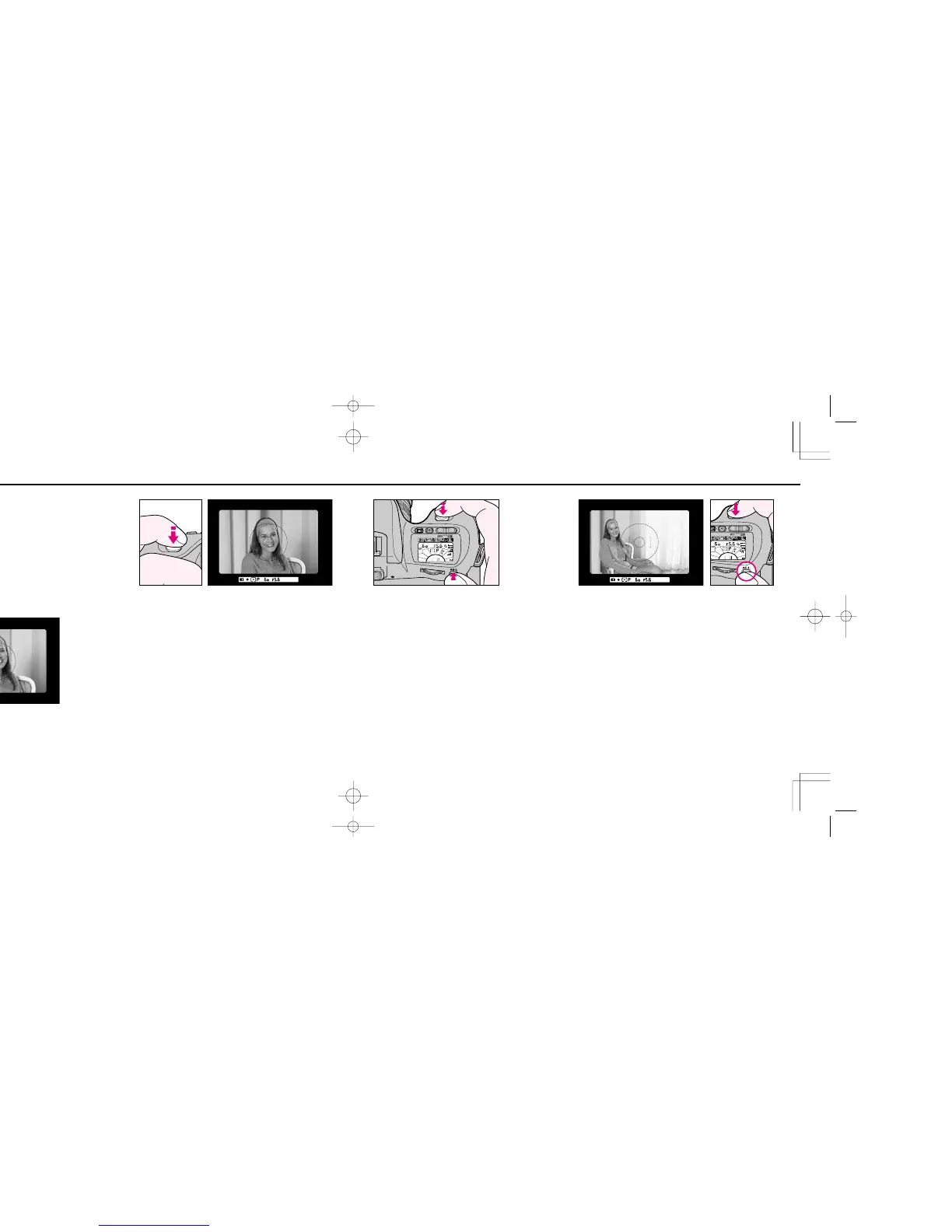
Centre main subject inside viewfinder and/or move in
closer until reference circle for Centre-Weighted metering
or Spot metering is fully covered by the subject.
2
Lightly press shutter release button, and confirm shutter
speed and aperture in viewfinder.
AUTO EXPOSURE LOCK FUNCTION WITH AE-L BUTTON
In the auto exposure mode, when you want to control exposure
based on the brightness of a specific area within the scene, use
Auto Exposure Lock function. For Auto Exposure Lock
function, it is recommended that you should switch the
metering system to Centre-Weighted or Spot.
3
Keep shutter release button lightly pressed, push AE-L
button and hold it in to lock auto exposure.
• While AE-L button is held in, the flash recommended light
(green j) does not light up.
• While AE-L button is held in, shutter speed indication does
not blink for picture-blur alert even if a shutter speed is set at
1/50 sec. or slower.
4
Recompose picture and shoot.
• In Single Servo AF mode, if recomposing the picture could
change subject-to-camera distance, refocus by briefly
removing your finger from shutter release button and lightly
pressing it.
• Continuous Servo AF is not recommended if the subject
becomes off-centred after recomposing with AE-lock.
F70D I/MêÊçsâ¸í˘ 03.1.16 5:33 PM Page 74













 To Next Page