12
Attaching/Detaching a Lens
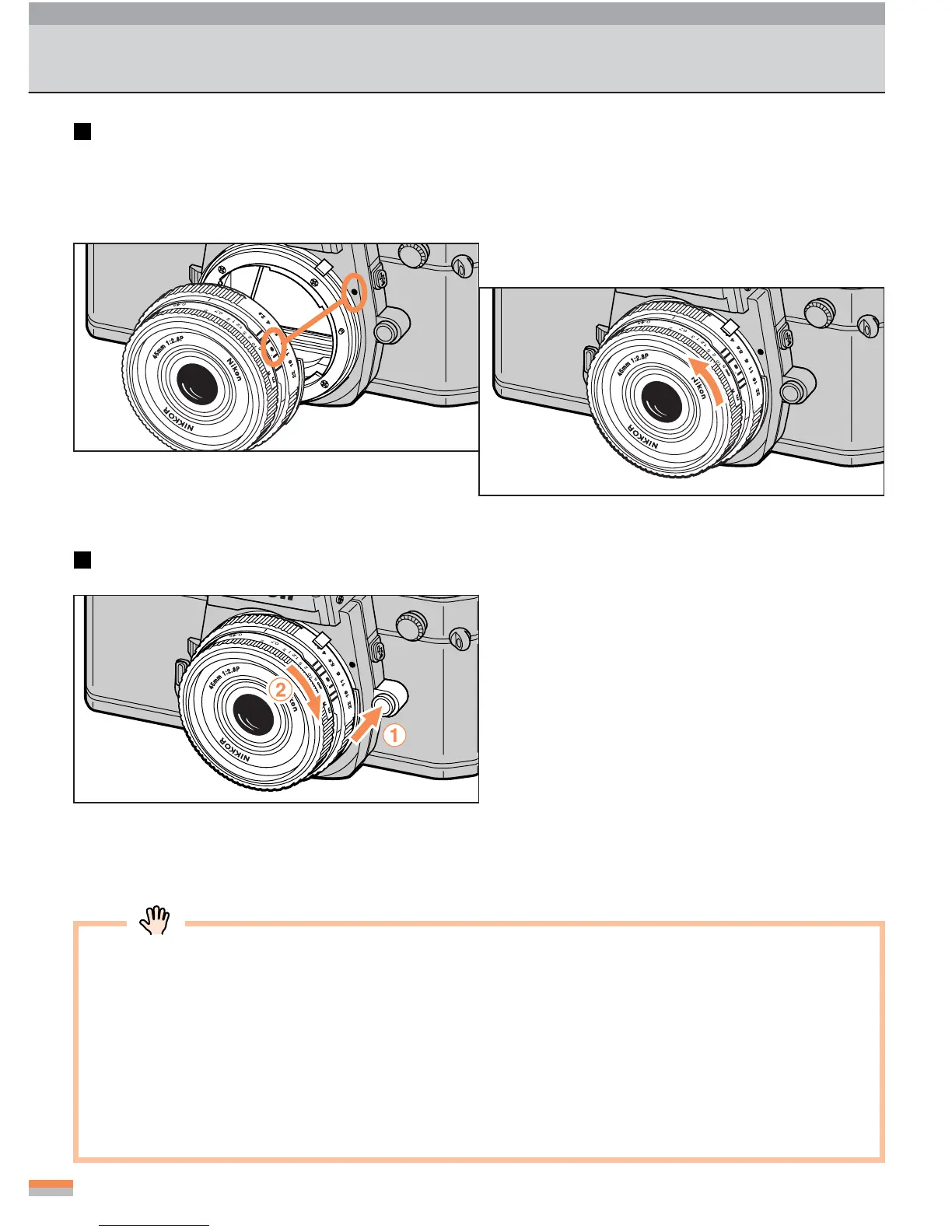
Attaching a lens
1
Align the mounting index on the
lens with the mounting index of
the camera body.
2
Insert and twist the lens counter-
clockwise (as shown by the arrow).
...
Twist the lens slowly until it clicks into place.
Detaching the lens
...
Press and hold the lens-release button 1 and
twist the lens clockwise 2, (as shown by the
arrow) to detach.
• Use an Ai-type lens with this camera. There are some non-Ai-type lenses that can
be used with this camera. See page 42 for lens compatibility.
•Avoid direct sunlight when attaching/detaching a lens.
• When attaching a lens, take care not to press the lens release button.
• When you leave the camera unattended without a lens attached, be sure to attach
the supplied body cap (page 3), or the optional body cap BF-1A. (The BF-1 body
cap for previous models can also be attached.)



 To Next Page