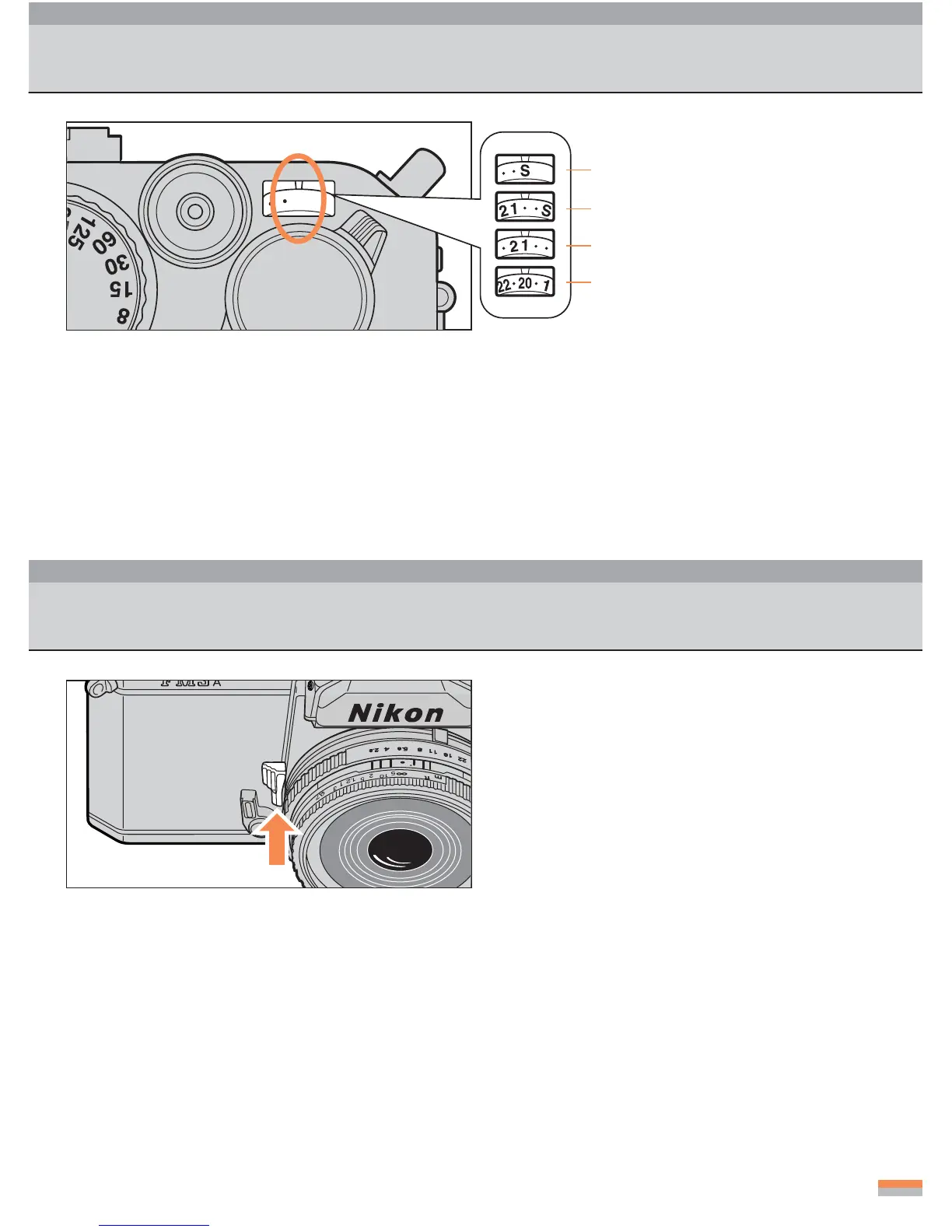
Frame Counter
When opening/closing
the camera back
Second blank exposure
First shot
20th shot
...
The frame counter has indications of S, 1, 2, 4, 6, etc., up to 36 in even numbers. Frames of odd
numbers are indicated by dots between the even numbers.
...
The counter stops at 36. However, film will be advanced up to the actual end of the film roll.
...
Even if there is no film in the camera, the frame counter is operative and advances by a single
frame every time you wind the advance lever.
...
The frame counter is automatically reset to “S” when the camera back is opened.
Depth of Field Preview Lever
• When you press the depth of field pre-
view lever toward the camera body, the
lens is stopped down to the specified
aperture setting, enabling you to check
the depth of field through the viewfinder.
...
When checking the depth of field with an Ai-type lens attached to the camera, press the depth
of field preview lever fully. Release the lever before you shoot.
...
When you press the lever, the image in the viewfinder is darkened according to the specified
lens aperture.



 To Next Page