15
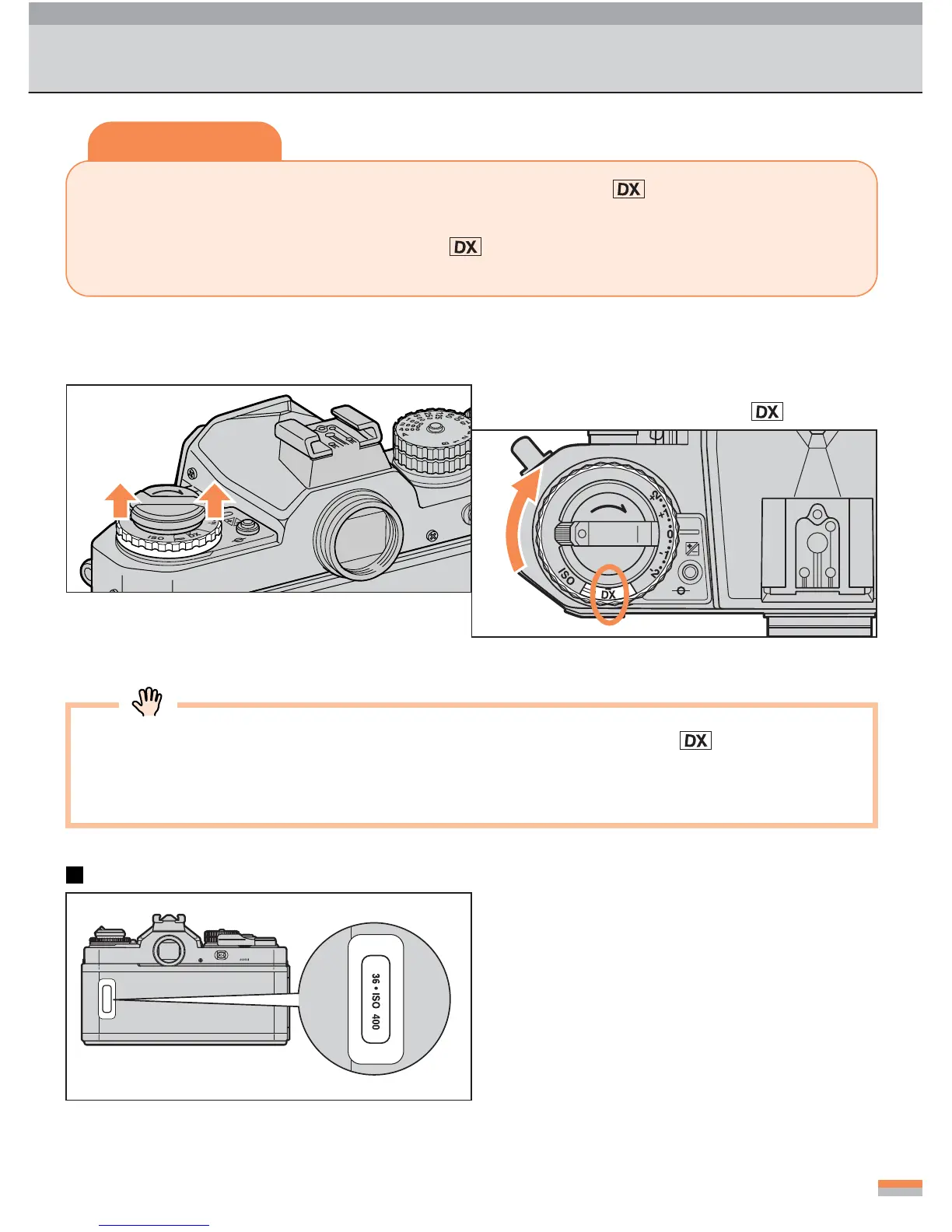
•You can check the film type, the number
of frames, and the ISO film speed in the
film confirmation window.
Setting the Film Speed (DX-Coded Film)
1
Pull up the film-speed setting
ring.
2
Set the film speed to .
...
Turn the ring in the direction of the arrow.
If you load non-DX-coded film with the film-speed index set to , or if no film is
loaded, the exposure-compensation indicator and the ready light blink alternately as
a warning.
Film confirmation window
Tips
When using DX-coded film, set the film-speed index to . When using non-DX-
coded film, set the film speed manually. See page 26.
...
When the film-speed index is set to , the film speed is automatically set (ISO
25 to 5000).



 To Next Page