18
Tips
• The aperture setting lets you adjust the exposure and control the depth of field.
...
If the subject of your picture extends into the distance and/or you want the entire
subject to be sharp, choose a narrow aperture setting. If you want an out-of-
focus background and/or foreground, select a wide aperture i. e. f/2.8. If your
subject has little or no depth of field, such as flat wall, choose an intermediate
aperture setting.
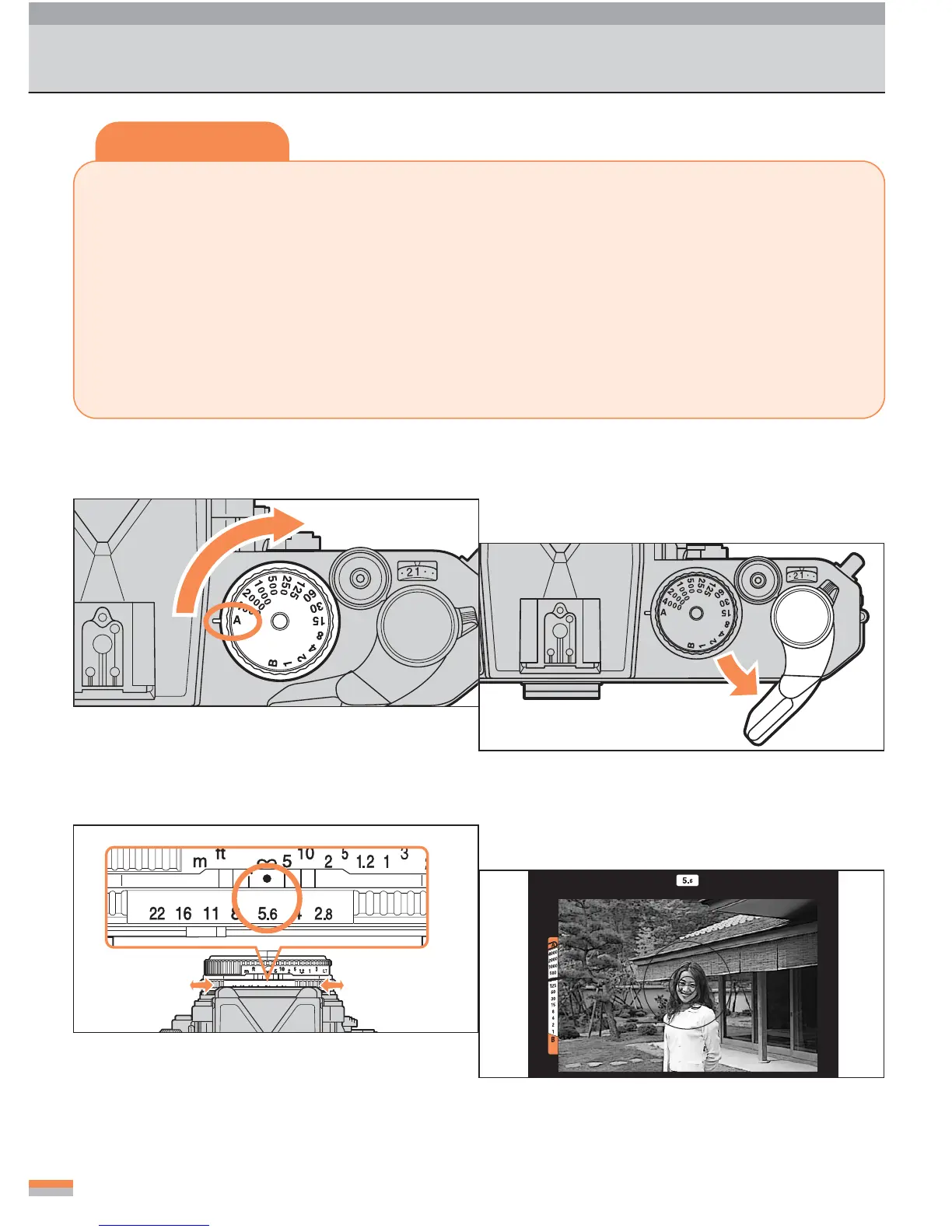
• In Aperture-Priority Auto Exposure mode, you can make the aperture setting as
desired, and the camera controls the shutter speed automatically.
1
Set the shutter-speed dial to “A.”
2
Pull out the film-advance lever.
...
In the “A” (Auto) position, the shutter-speed
dial is locked.
3
Make your lens aperture setting.
4
Compose your picture and focus.
Shooting: Aperture-Priority Auto Exposure Mode
...
Place the main subject inside the 12mm-di-
ameter circle in the center of the screen.



 To Next Page