46
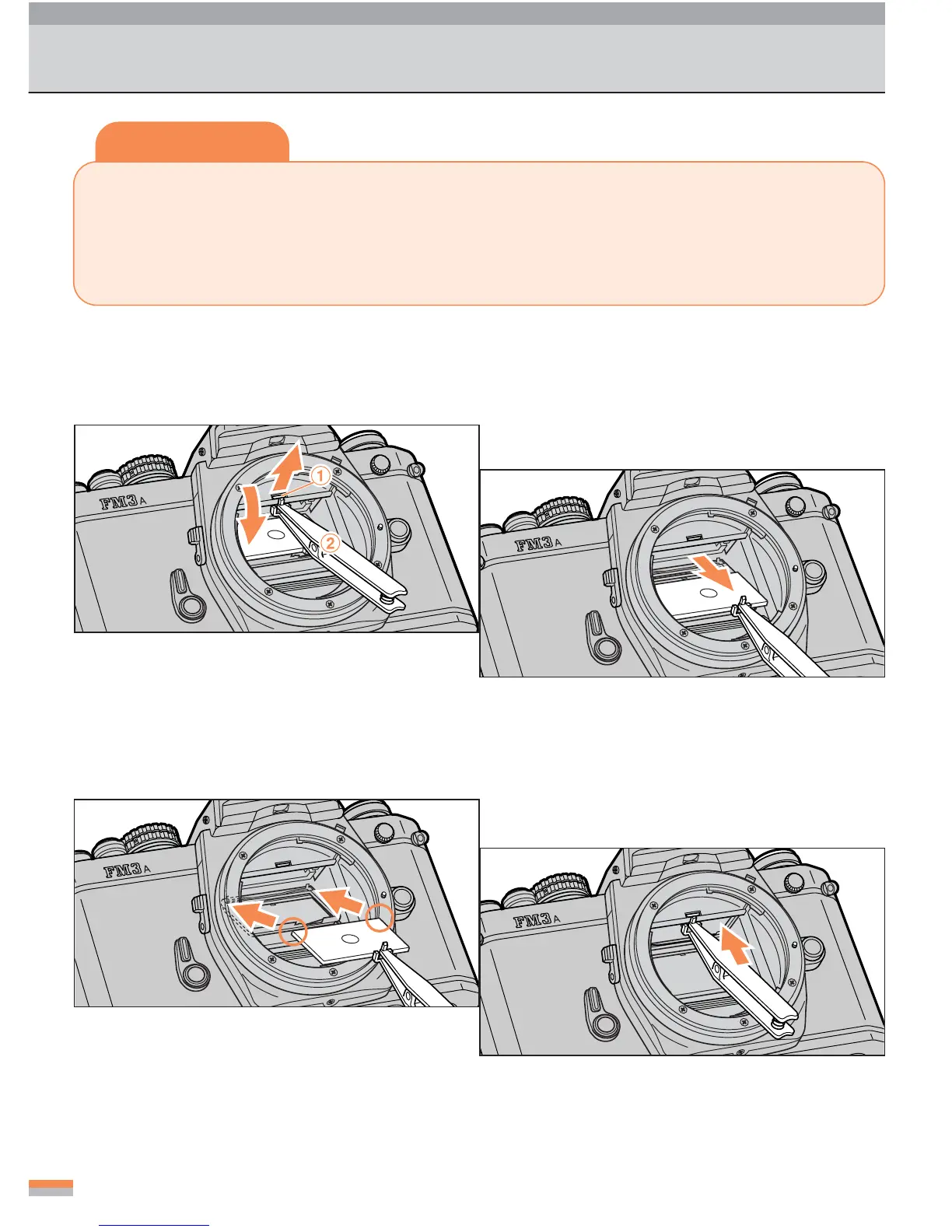
Changing the Focusing Screen
Tips
• Different types of focusing screens can be used with this camera. The K3-type
Clear Matte screen IIa comes with the camera as a standard accessory.
•Two types of screen are available for replacement as options: B3 type and E3 type.
Select the one that matches your particular requirements.
1
Pull the focusing screen release
latch
11
11
1 towards you using the
special tweezers
22
22
2.
2
Grip the screen by pinching the
tab of the screen and remove it.
3
Place the replacement screen on
the screen holder.
...
Be sure to place the screen in the right posi-
tion on the holder.
4
Push the front edge of the holder
upward to secure the screen.
...
Push up on the holder until it snaps into place.
...
The focusing screen comes down.
...
The special tweezers are supplied with a fo-
cusing screen for replacement.



 To Next Page