36
AE-Lock Photography
Tips
• AE-lock photography is possible in Aperture-Priority Auto Exposure mode. You
cannot use it in Manual Exposure mode.
• Since the composition of a shot can be changed with the EV temporarily stored in
memory, AE-lock photography of a subject of normal (intermediate) brightness
proves to be highly effective when back lighting is present that makes it difficult to
specify the exposure, or when subjects of high and low reflectance are intermingled
in the viewfinder.
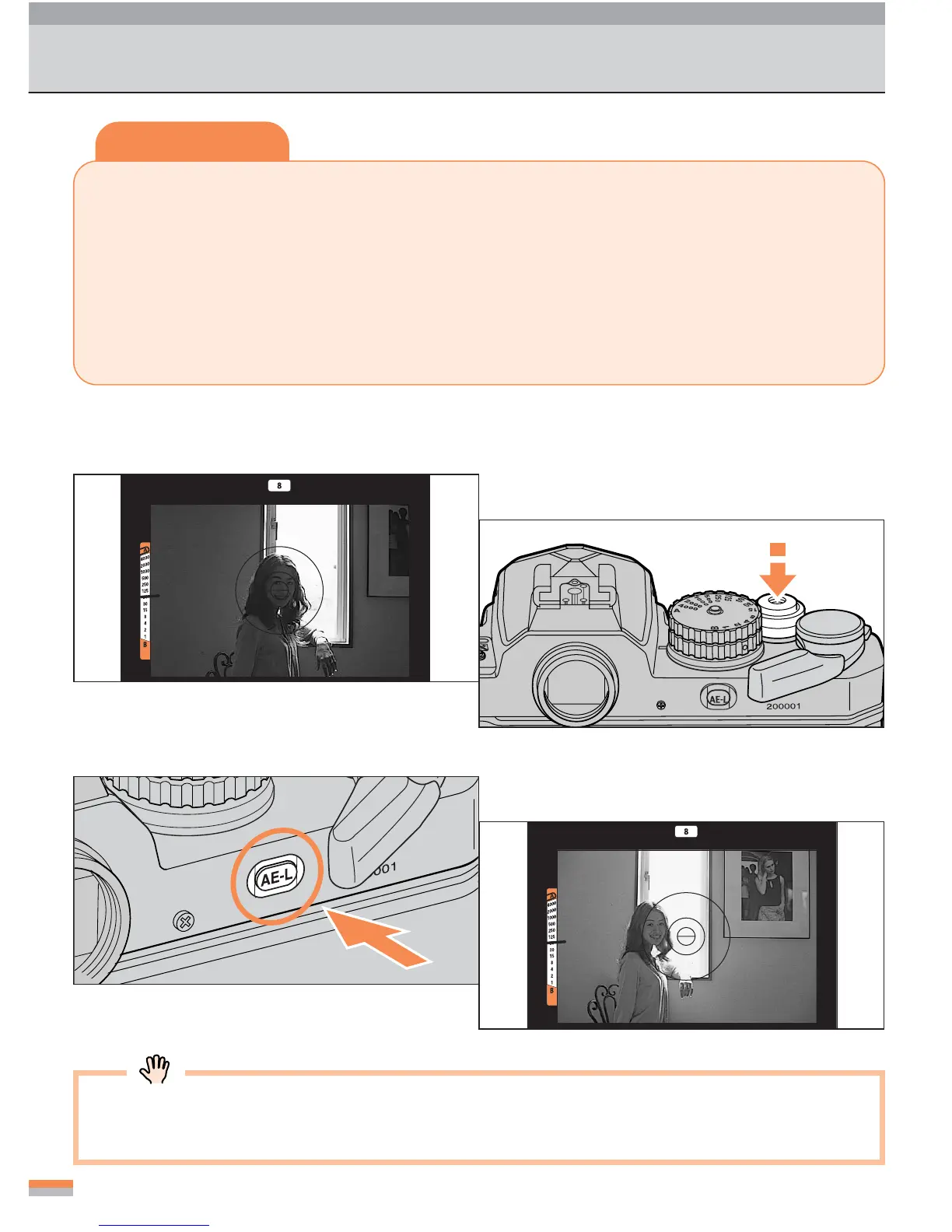
1
Locate the subject in the center of
the viewfinder and focus.
2
Lightly press the shutter-release
button.
3
Press the AE-lock button.
Compose your shot, and shoot with
the AE-lock button held pressed.
• Apply the auto exposure lock when the exposure meter is active.
• The exposure-meter indicator in the viewfinder is fixed in AE-Lock mode.
4



 To Next Page