Take
a few moments
to
familiarize yourself
with
camera controls
and displays.
You
may find
it
helpful
to
bookmark this section
I-.-I
and refer
to
it
as
you read
through
the
rest
of
the
manual.
-.-
The Camera
Body
/
.i
/'Ci
X.c>
•/
C<$%
/!
;
<•
HA
;•
%/C.
<H\i
VD/
'•>Y
%/
H;.)i!/
i\
0
18
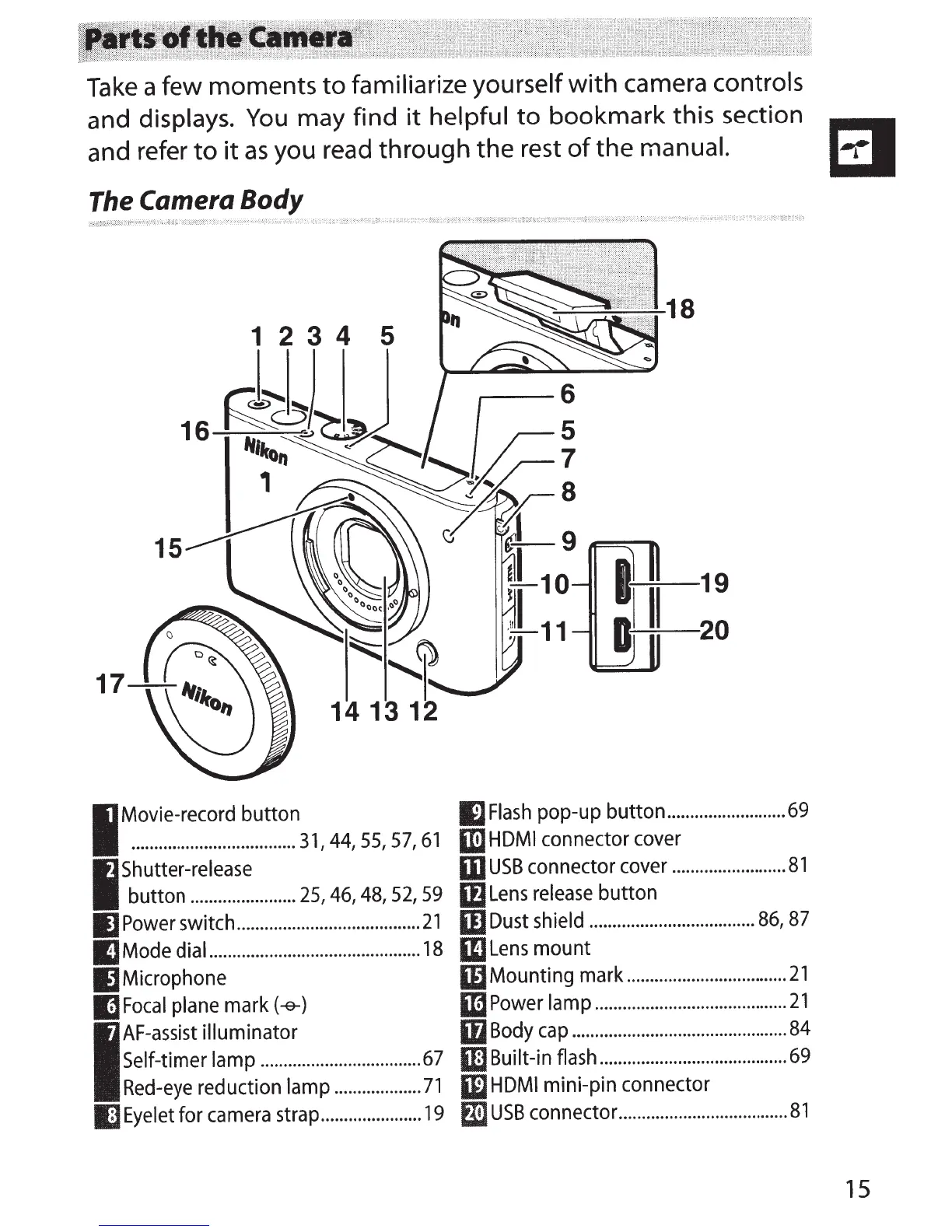
1 2 3 4 5
I~-~~~~-~~-~-~~~-~-~-~~-~~-~
31.
44.
55.
57.
61
ll
Flash
pop-up button
..........................
69
1m
HDMI
connector
cover
I
Shutter-release
button
.......................
25,
46,
48,
52,
59
m
USB
connector
cover
.........................
81
If)
Lens
release
button
IJPower
switch
........................................
21
IIJ
Dust
shield
....................................
86,
87
IJ
Mode
dial
..............................................
18
IIJLens
mount
IJMicrophone
IDMounting
mark
...................................
21
mFocal
plane
mark
(-e-)
1m
Power
lamp
..........................................
21
I
AF-assist
illuminator
Self-timer lamp
....................................
67
Red
-
eye
reductron
lamp
...................
71
iD
Body
cap
...............................................
84
W Built-in
flash
.........................................
69
W
HDMI
mini-pin connector
I)
Eyelet
for
camera
strap
......................
19
fliJUSB
connector
.....................................
81
15



 To Next Page