El
34
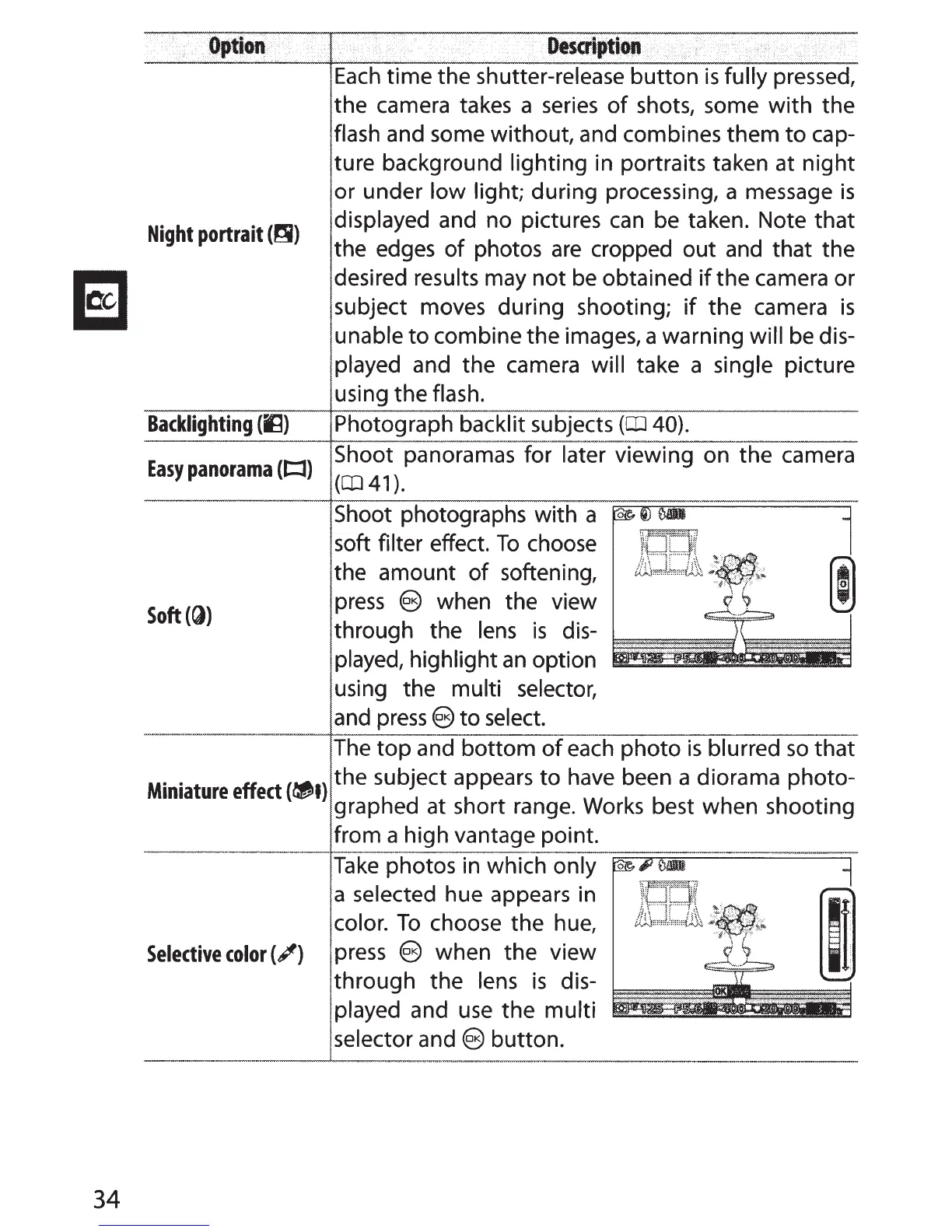
Night
portrait
(ri)
Backlighting
(IU
Easy
panorama
(l::l)
Soft
(G))
Each
time the shutter-release button
is
fully pressed,
the camera takes a
series
of
shots, some with the
flash and some without, and combines them
to
cap-
ture background lighting in portraits taken at night
or under low light; during processing, a message
is
displayed and no pictures
can
be
taken. Note that
the edges
of
photos
are
cropped out
and
that the
desired results may not
be
obtained
if
the camera or
subject moves during shooting;
if
the camera
is
unable
to
combine the images, a warning will
be
dis-
played and the camera will take a single picture
using the flash.
Photograph backlit subjects
(CD
40).
Shoot panoramas for later viewing on the camera
(CD41).
Shoot photographs with a
soft filter effect.
To
choose
the amount
of
softening,
press
e when the view
through the
lens
is
dis-
played, highlight
an
option
using the multi selector,
and
press
e
to
select.
The
top
and bottom
of
each
photo
is
blurred
so
that
M
..
t
ff
t
(,.I)
the subject appears
to
have
been a diorama photo-
•ma
ure
e
ec
~
.
graphed at short range.
Works
best when shootmg
from a high vantage point.
Take
photos in which only
a selected hue appears in
color.
To
choose the
hue,
Selective
color(;')
press
(§
when the view
through the
lens
is
dis-
played and
use
the multi
selector and
e button.



 To Next Page