Start Shooting Immediately
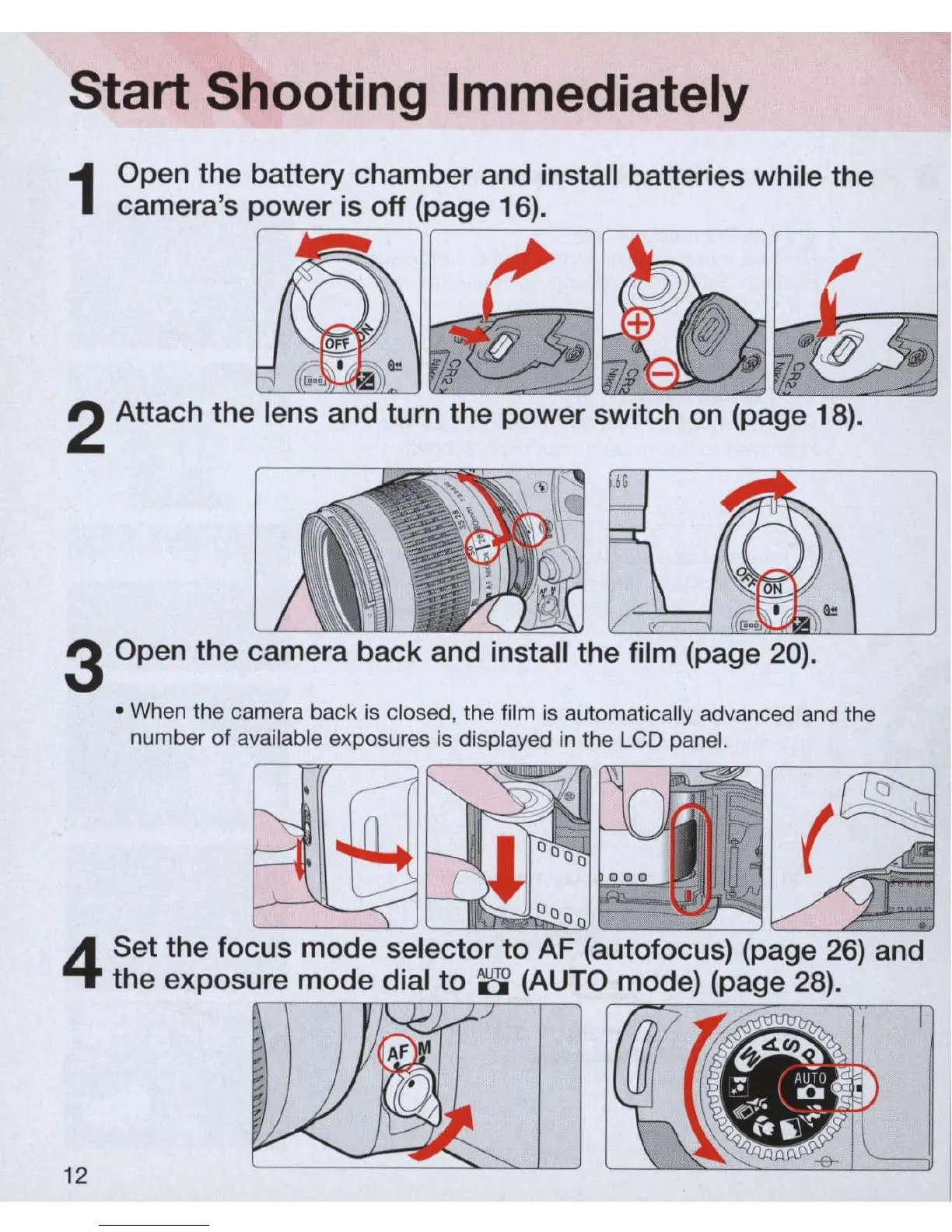
1
Open the batte
ry
chamber and install batteries while the
camera's power
is
off (page 16).
~
#
~
#
~
cj>
"
~
~
2 Attach the lens and turn the power switch
on
(page 18).
3 Open the camera back and install the film (page 20) .
• When the camera back
is
closed, the film
is
automatically advanced and the
number of available exposures is displayed
in
the LCD panel.
4
Set the focus mode selector to AF (autofocus) (page 26) and
the exposure mode dial to
~
(AUTO mode) (page 28).
12



 To Next Page