Set Exposure
Mode
to 8
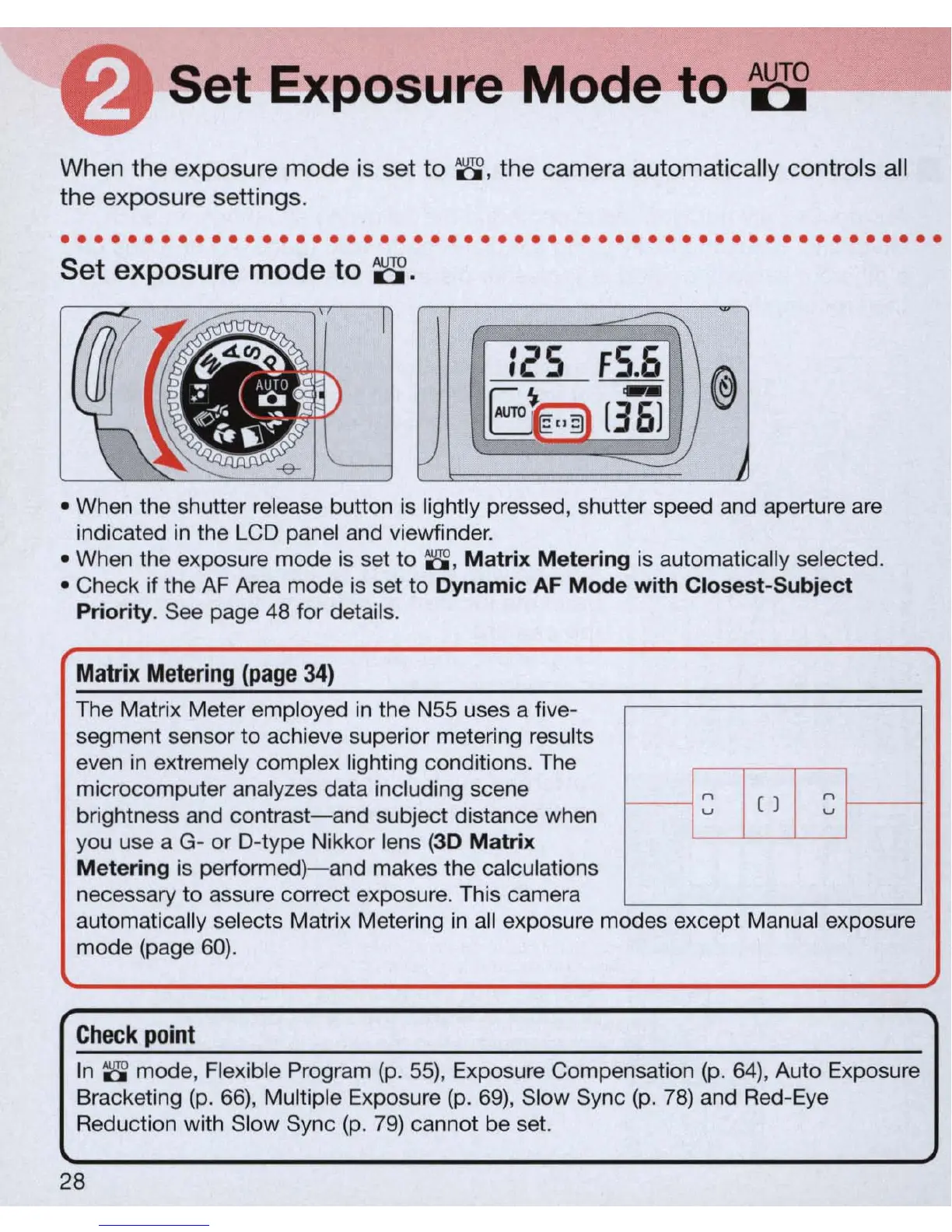
When the exposure mode is set
to
8 , the camera automatically controls all
the exposure settings.
·
...................................................
.
Set exposure
mode
to
8.
-~
I
i'S
F
S.6
@
B
~
[36i
./
2J
• When the shutter release button is lightly pressed, shutter speed and aperture
are
indicated
in
the LCD panel and viewfinder.
• When the exposure mode is set
to
8 ,
Ma
trix Me
tering
is automatica
ll
y selected.
• Check if the
AF
Area mode
is
set
to
Dynamic AF
Mod
e
wi
th
Closes
t-
Subj
ect
Pri
or
i
ty
. See page
48
for details.
Matrix
Metering
(page
34
)
The Matrix Meter employed
in
the N55 uses a five-
segment sensor
to
achieve superior metering results
even
in
extremely complex lighting conditions. The
microcomputer analyzes data including scene
-1
=
I
()
I
=
~
brightness and
contrast-and
subject distance when
you use a G- or D-type Nikkor lens (3D
Mat
rix
Me
tering is
performed)-and
makes the calculations
necessary to assure correct exposure. This camera
automatica
ll
y selects Matrix Metering
in
all exposure modes except Manual exposure
mode (page
60)
.
Check
poin
t
In 8 mode, Flexible Program
(p
.
55)
, Exposure Compensation
(p
.
64)
, Auto Exposure
Bracketing
(p
.
66),
Multiple Exposure
(p
.
69)
, Slow Sync
(p
.
78)
and Red-Eye
Reduction with Slow Sync
(p.
79)
cannot be set.
28



 To Next Page