Imprinting
Datef-T-ime
(QD
model
only)
You
can imprint the following date information on your picture:
Year/Month/Day, Day/Hour/Minute, Month/Day/Year or Day/Month/Year. See
page 22
to
set date and time .
. . . . . .
..
. . . . . . .
..
. . . . . . . . .
..
. . . . .
..
. . . . . . . . .
..
. . . . . . .
1
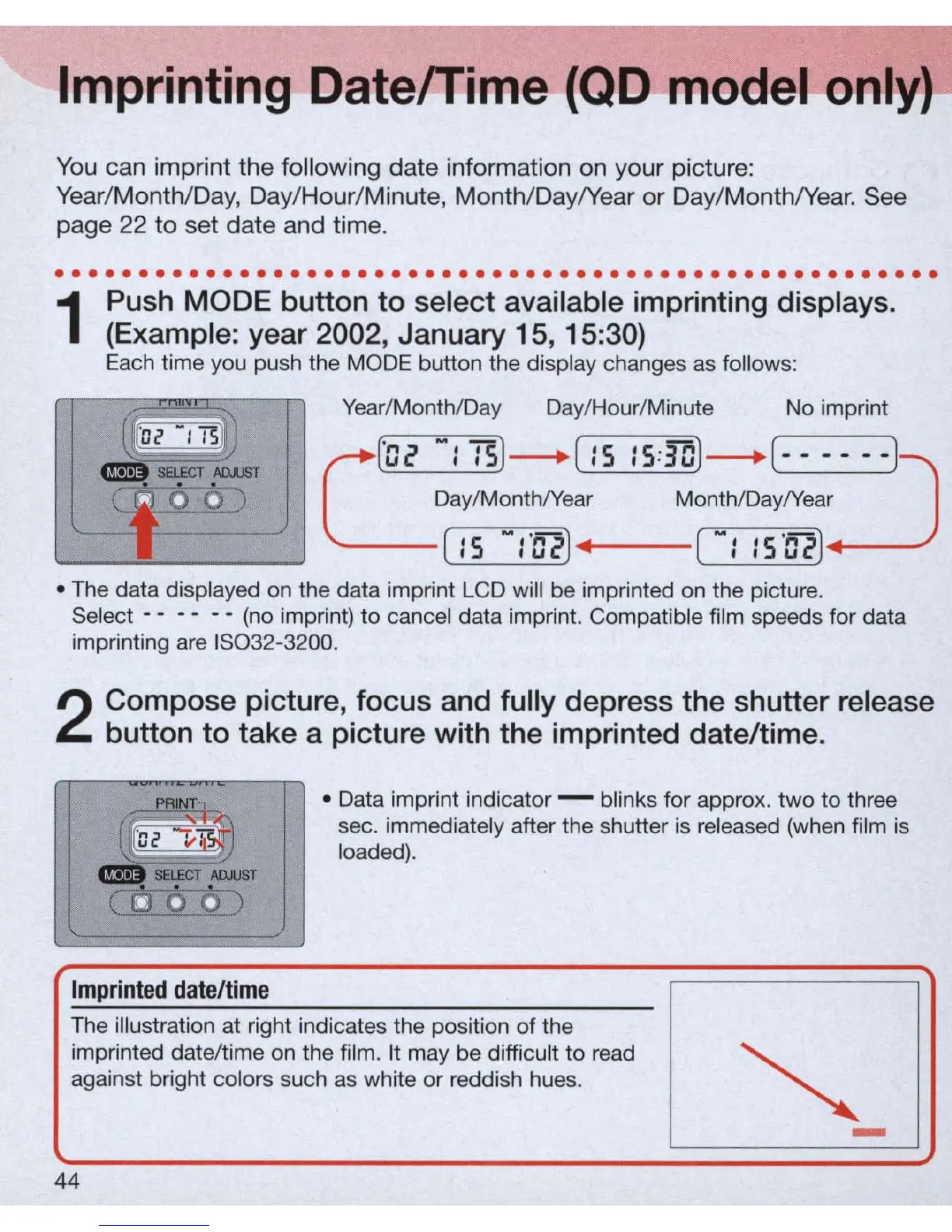
Push MODE button
to
select available imprinting displays.
(Example: year 2002, January 15, 15:30)
Each time you push the MODE button the display changes
as
follows:
Year/Month/Day Day/Hour/Minute
No imprint
L
'02
-:
:5)
-.
[
:5
:5:30)
-'
[- - -
:J
--)
Day/Month/Year Month/Day/Year
[ : 5
-:'02)
" [ -: :
5'02)
• The data displayed on the data imprint LCD will be imprinted
on
the picture.
Select - - - - - - (no imprint) to cancel data imprint. Compatible film speeds for data
imprinting are
IS0
32-3200.
2
Compose picture,
focus
and fully depress
the
shutter release
button
to
take a picture with the imprinted date/time.
PRINT
....
• Data imprint indicator - blinks for approx.
two
to
three
sec. immediately after the shutter is released (when film
is
loaded).
Imprinted
date/time
The illustration at right indicates the position of the
imprinted date/time
on
the film. It may be difficult
to
read
against bright colors such as white
or
reddish hues.
44
-



 To Next Page