Hold Camera and
Focus
~-~
Lightly pressing the shutter release button automatica
ll
y focuses the camera
on the subject and when the subject is
in
focus, causes .
to
appear
in
the
viewfinder .
...
. . .
..
. . . . . . . . . . . . . . . . . . . . . . . . . . . . . .
..
.
...
. . . . . . . . .
1
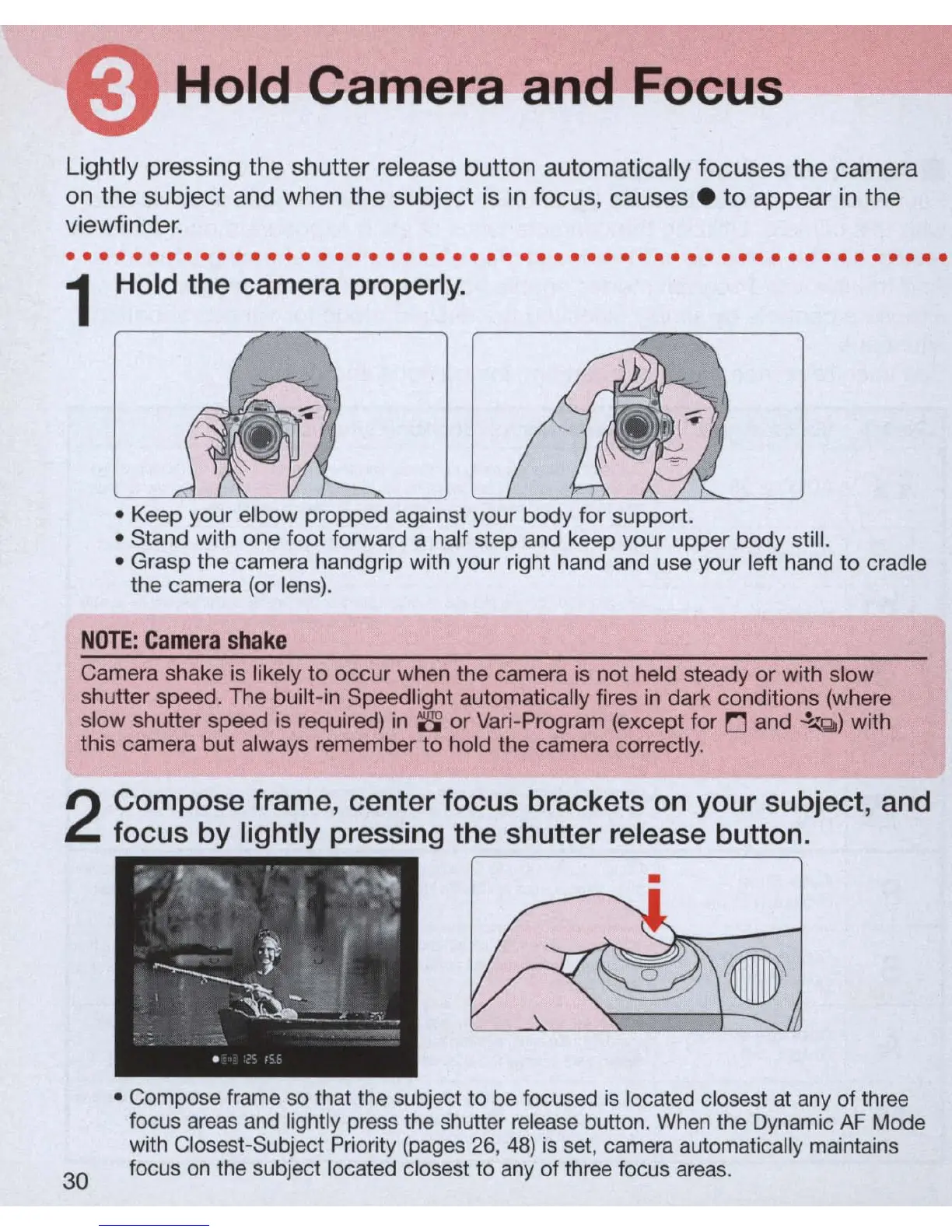
Hold the camera properly.
• Keep your elbow propped against your body for support.
• Stand with one
foot
forward a half step and keep your upper body still.
• Grasp the camera handgrip with your right hand and use your left hand to cradle
the camera (or lens).
NO
TE:
C
ame
ra
sh
a
ke
Camera shake is likely
to
occur
when the camera is not held steady or with slow
shutter speed. The built-in Speedlight automatically fires
in
dark conditions (where
slow shutter speed is required)
in
8'
or Vari-Program (except for
r:J
and
~
Q
)
with
this camera but always remember
to
hold the camera correctly.
2
Compose frame, center focus brackets
on
your subject, and
focus by lightly pressing the shutter release button .
30
•
• Compose frame
so
that the subject to
be
focused
is
located closest
at
any
of three
focus
areas
and
lightly press the shutter
re
l
ease
button.
When
the Dynamic
AF
Mode
with Closest-Subject Priority (pages
26
,
48)
is
set, camera automatica
ll
y maintains
focus
on
the subject located closest to any of three focus ar
eas.



 To Next Page