Check
points
•
We
recommend that you take spare batteries with you, especially when travelling .
• For the number of film rolls that can be shot with fresh batteries, see page 114.
3
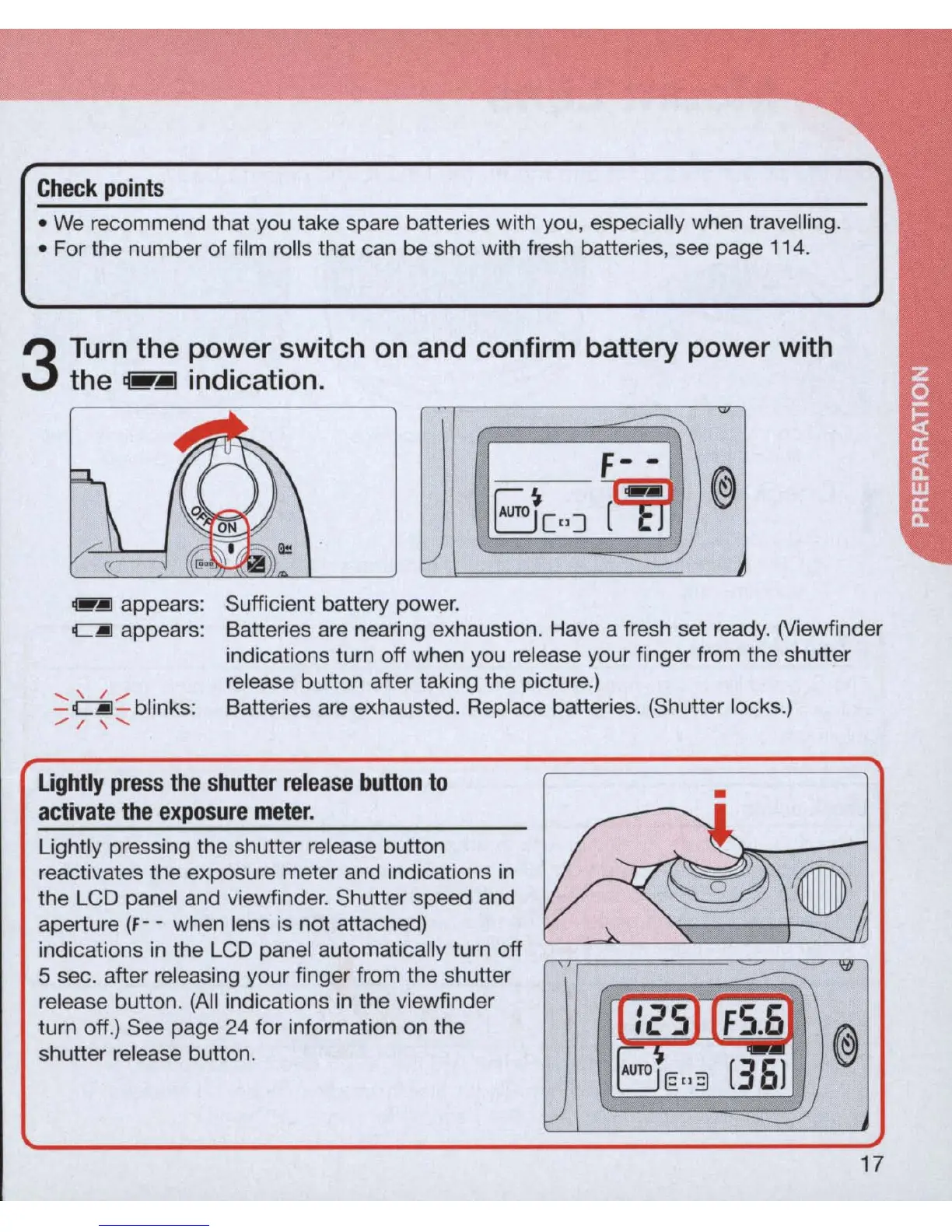
Turn
the power switch
on
and confirm battery power with
the
,.jiJ
indication.
~
appears:
Sufficient battery power.
CjIJ
appears:
......
\.
/",.
.
Batteries are nearing exhaustion. Have a fresh set ready. (Viewfinder
indications turn off when you release your finger from the shutter
release button after taking the picture.)
Batteries
are
exhausted. Replace batteries. (Shutter locks.)
-
~
-
bllnks
:
./
I \
......
Lightly
pr
ess
the
shutter
release
button
to
act
i
vate
the
exposure
mete
r.
Lightly pressing the shutter release button
reactivates the exposure meter and indications
in
the LCD panel and viewfinder. Shutter speed and
aperture (f - - when lens is not attached)
indications
in
the LCD panel automatically turn off
5 sec. after releasing your finger from the shutter
release button.
(All
indications
in
the viewfinder
turn off.) See page
24
for information
on
the
shutter release button.
•



 To Next Page