NOTE:
CPU
Nikkor
lenses
other
than
G-
type
Al
ways set the aperture ring
of
a C
PU
Nikkor lens (except G-typ
e)
to its minimum
(largest f-number). When the lens is not set to its minimum aperture setting,
FE E
blinks
in
the LCD panel and viewfinder, and the shutter locks.
2
Set the shutter speed and aperture
while checking the electronic
analog exposure display
in
the
viewfinder.
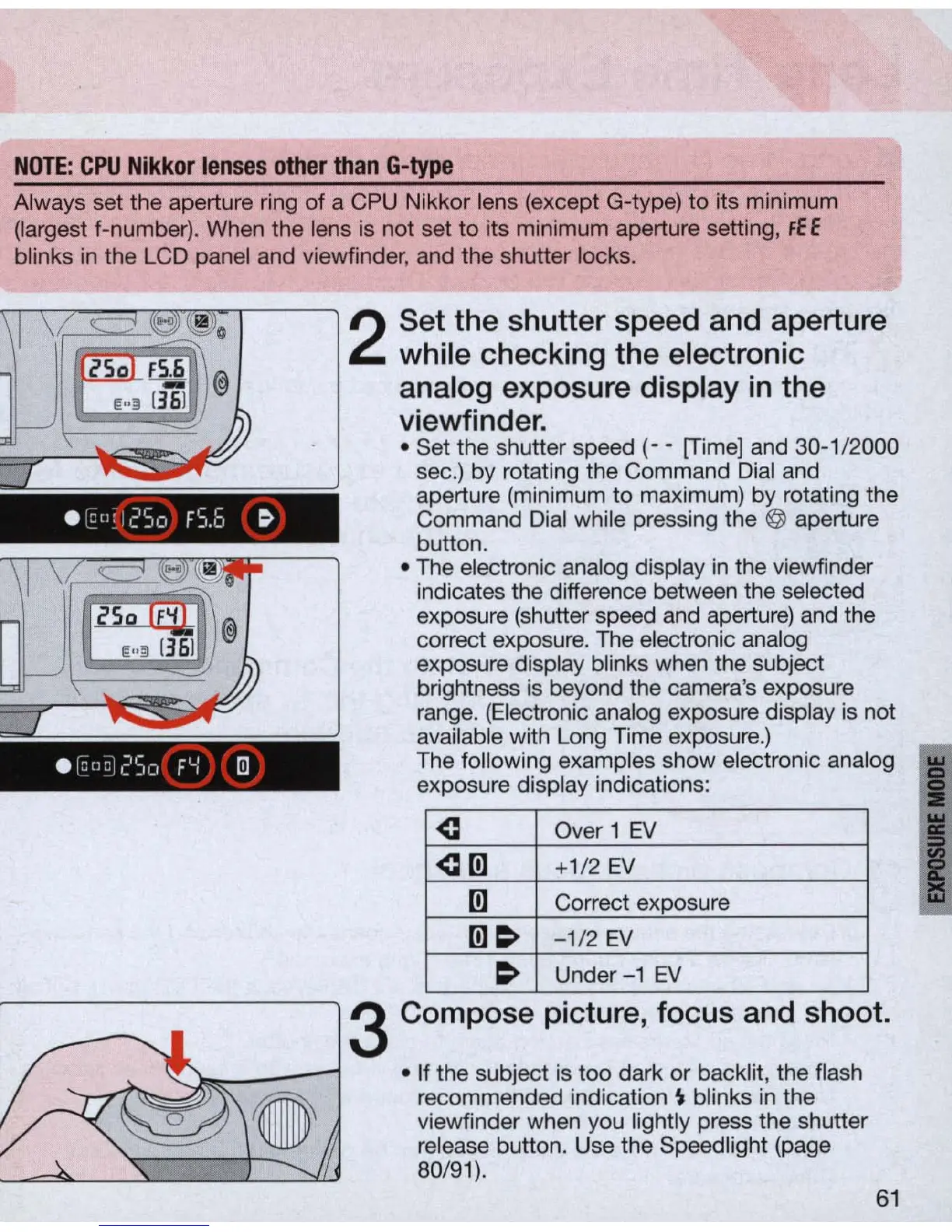
• Set the shutter speed
(-
- [Time] and 30-1/2000
sec.) by rotating the Command D
ial
and
aperture (minimum
to
maximum) by rotating the
Command Dial while pressing the @ aperture
button .
• The electronic analog display
in
the viewfinder
indicates the difference between the selected
exposure (shutter speed and apertu
re)
and the
correct exposure. T
he
electronic analog
exposure display blinks when the subject
brightness is beyond the camera's exposure
range. (Electronic analog exposure display
is
not
available with Long Time exposure.)
e
r8!l8J
2So
F'-I
[!)
The following examples show electronic analog I
exposure display indications:
~
Over 1
EV
~[!]
+1/2
EV
[!]
Correct exposure
[!]~
-1/2
EV
~
U
nder-1
EV
3 Compose picture, focus and shoot .
• If the subject is
too
dark or backlit, the flash
recommended indication
~
blinks
in
the
viewfinder when you lightly press the shutter
re
lease button. Use the Speedlight (page
80/91).
61
I



 To Next Page