4
4.1
4.2
22
Set
Focus
Mode,
AF
Area
Mode
and
Focus
Area
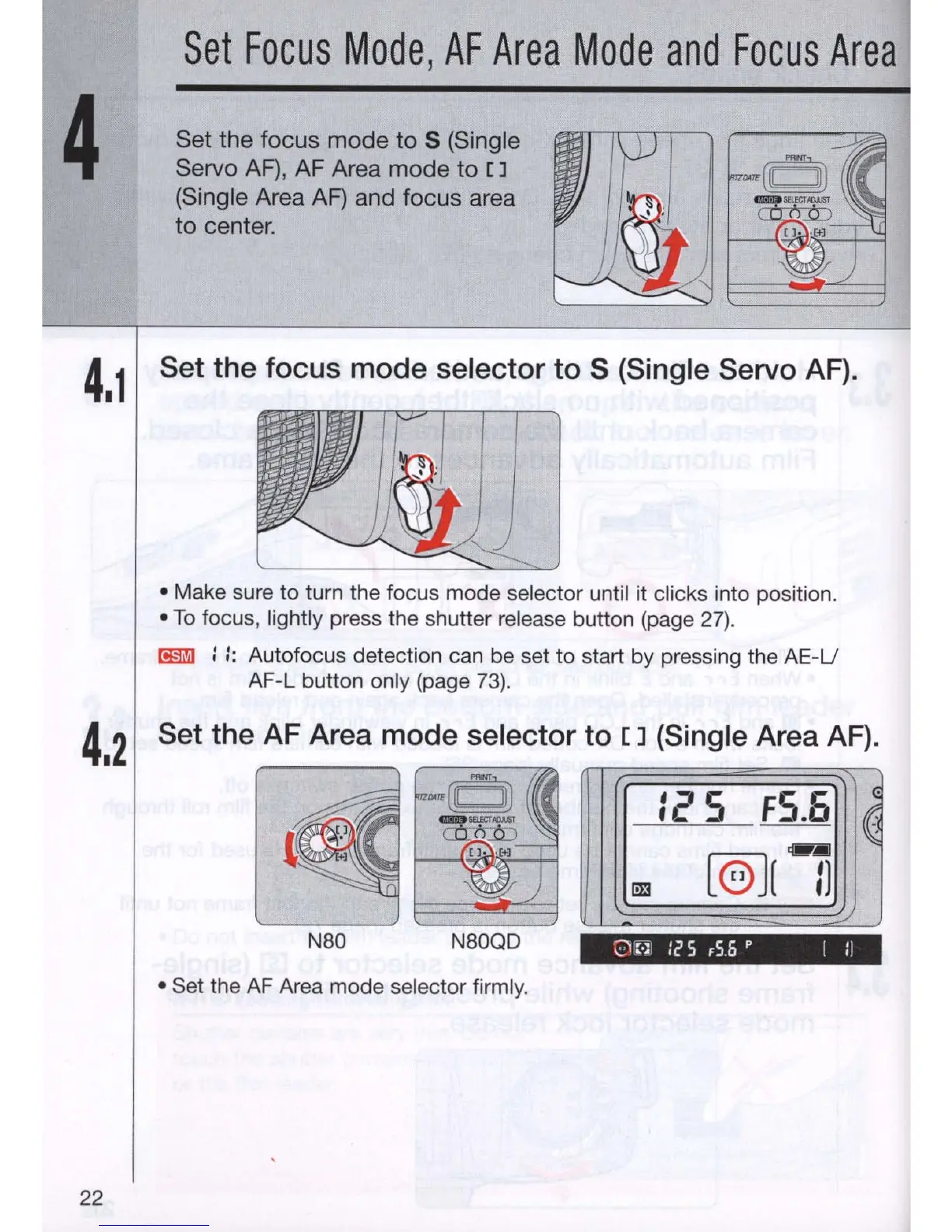
Set the focus mode
to
S (Single
Servo
AF),
AF
Area mode
to
[]
(Single Area
AF)
and focus area
to
center.
Set the focus mode selector to S (Single Servo AF).
• Make sure to turn the focus mode selector until it clicks into position .
•
To
focus, lightly press the shutter release button (page
27).
~
::
: Autofocus detection can be set to start by pressing the
AE
-U
AF-L button only (page 73).
Set the AF Area mode selector to
[]
(Single Area AF).
125
FS.o
I
~
.-
[@]
[
Il
N8D
N8DQD
21r'l
:25 ,56 p [ :1
• Set the AF Area mode
sel
ector firmly.



 To Next Page