Diopter Adjustment/LCD Illuminator
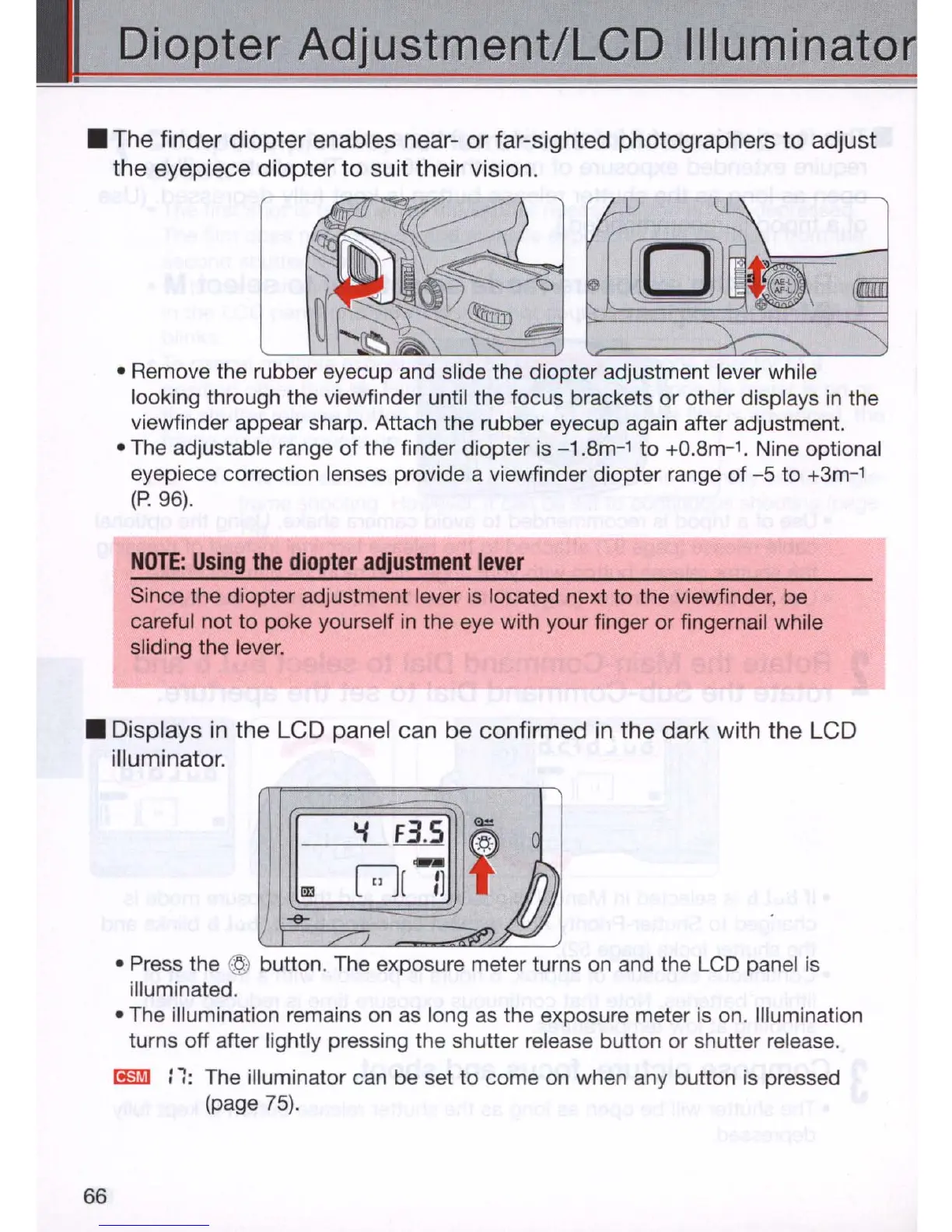
• The finder diopter enables near- or far-sighted photographers to adjust
the eyepiece diopter to suit their vision.
• Remove the rubber eyecup and slide the diopter adjustment lever while
looking through the viewfinder until the focus brackets or other displays
in
the
viewfinder appear sharp. Attach the rubber eyecup again after adjustment.
• The adjustable range
of
the finder diopter is -1 .
8m-
1
to
+O
.
8m-
1
.
Nine optional
eyepiece correction lenses provide a viewfinder diopter range of
-5
to
+3m-
1
(P
.96).
NOTE:
Using
the
diopter
adjustment
lever
Since the diopter adjustment lever is located next to the viewfinder, be
careful not to poke yourself in the eye with your finger or fingernail while
sliding the lever .
• Displays
in
the LCD panel can be confirmed
in
the dark with the LCD
illuminator.
66
• Press the @ button. The exposure meter turns on and the LCD panel
is
illuminated .
• The illumination remains on as long
as
the exposure meter is on. Illumination
turns off after lightly pressing the shutter release button or shutter release.
I!§ilj)
:
1:
The illuminator can be set to come on when any button is pressed
(page
75)
.



 To Next Page