Two-Button Reset
• Two-Button Reset lets you instantly reset specified settings to their
original initial settings.
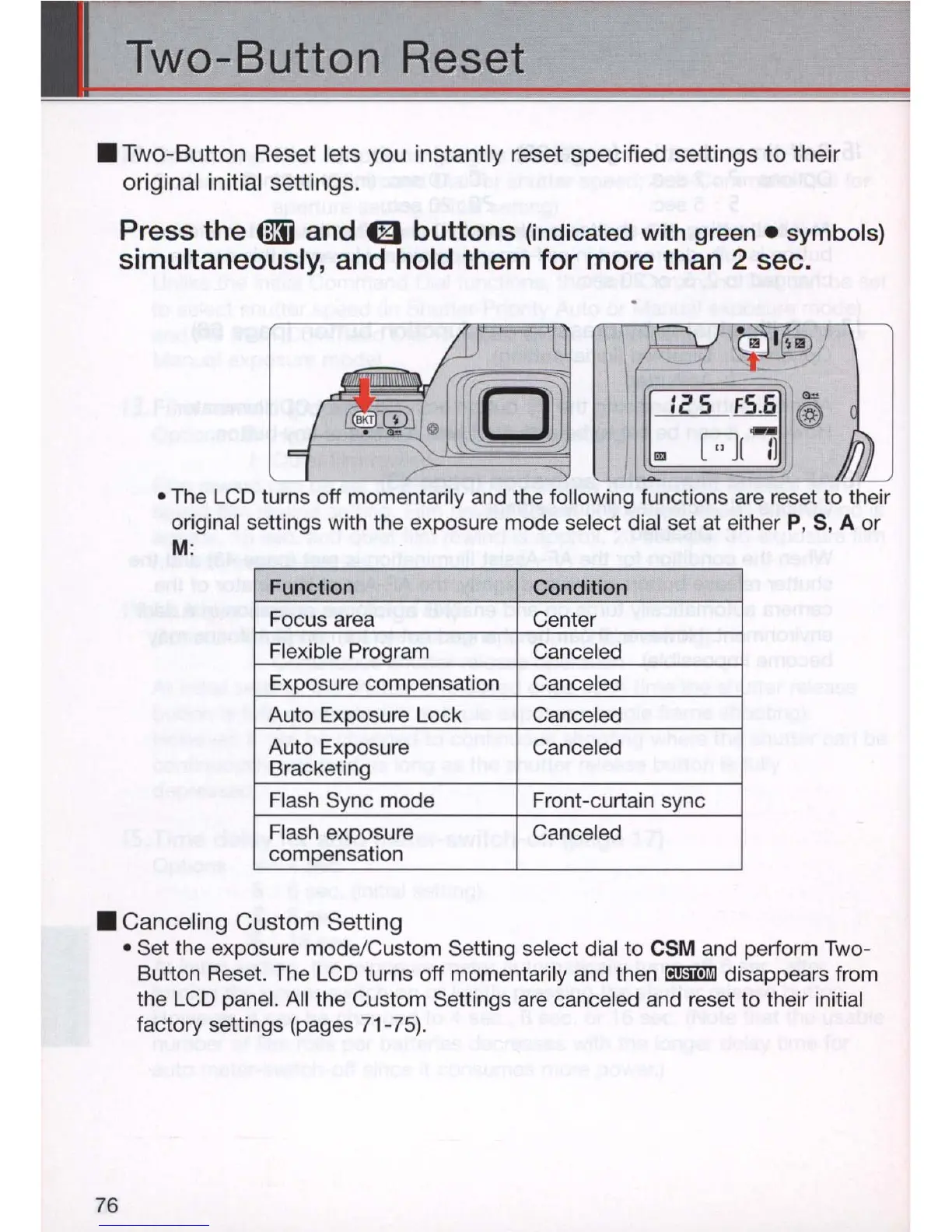
Press the
tm
and 0 buttons (indicated
with
green.
symbols)
simultaneously, and hold them for more than 2 sec .
• The LCD turns off momentarily and the following functions are reset to their
original settings with the exposure mode select dial set at either P, S, A or
M:
Function Condition
Focus area Center
Fle
xible Program Canceled
Exposure compensation
Canceled
Auto Exposure Lock
Canceled
Auto Exposure Canceled
Bracketing
Flash Sync mode Front-curtain sync
Fla
sh
exposure Canceled
compensation
• Canceling Custom Setting
76
• Set the exposure mode/Custom Setting select dial to
CSM and perform Two-
Button Reset. The LCD turns off momentarily and then
rmmllil
disappears from
the LCD panel. All the Custom Settings are canceled and reset to their initial
factory settings (pages 71-75).



 To Next Page