15
II
PREPARATION
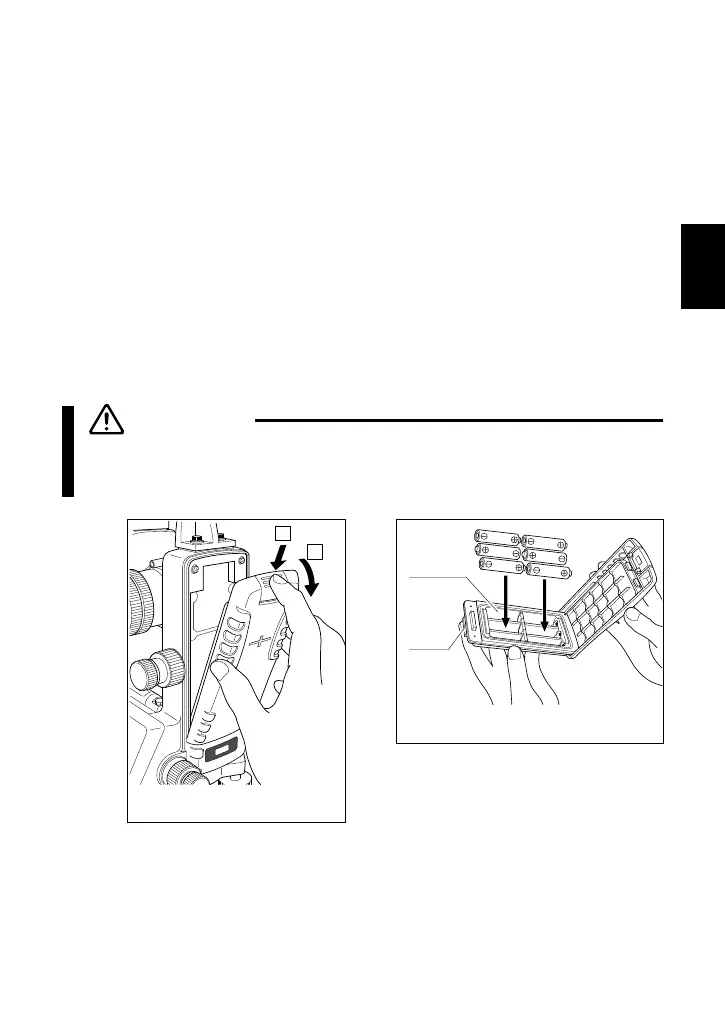
(1) Hold down the battery mounting button on the top of the battery pack
and pull the pack toward you to remove.
(2) Hold down the tab on the battery holder and pull the holder out of the
battery pack.
(3) Replace all the dry cells with new ones. Take care that the direction
of the electrodes are correct.
(4) Reverse the procedures to reattach the battery holder, and to reattach
the pack to the instrument.
(5) Make sure that the battery mounting button is securely locked.
(6) Turn ON the power switch and confirm that the instrument is
operating correctly. (Refer to p.27.)
CAUTION
■ When replacing the dry cells, replace all six cells with new
ones of the same type.
1
2
Remove the battery pack



 To Next Page