34
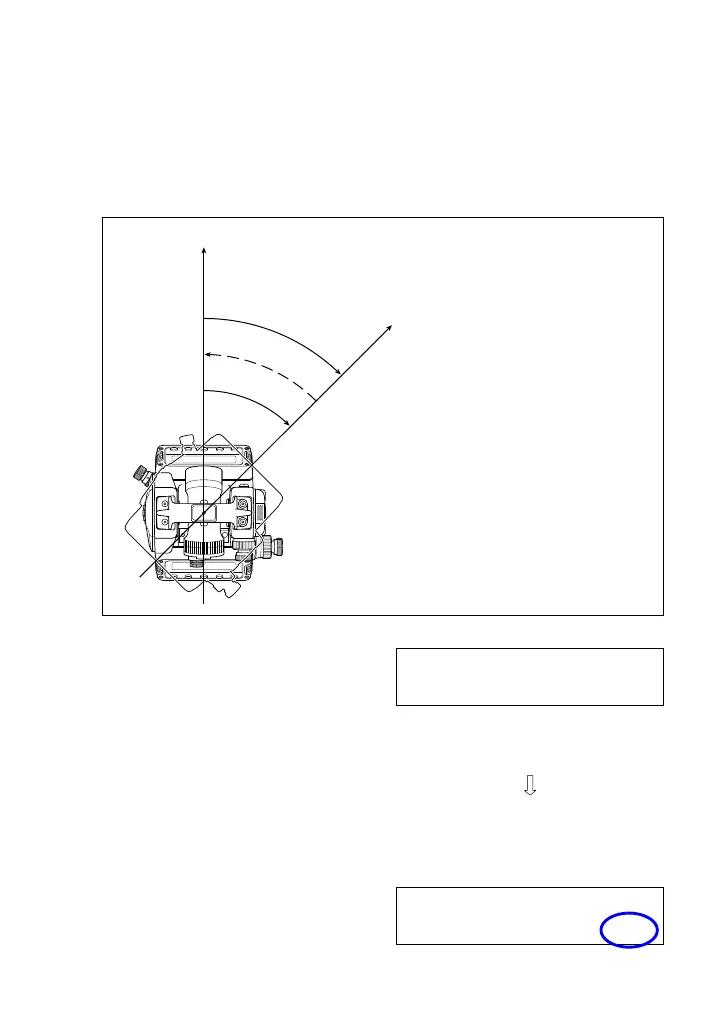
<4> Repeat Horizontal Angle Measurement
This function displays the summed angle of repeated angle
measurements, permitting calculation of the average angle by
dividing the final sum value by the number of repetitions to reduce
read-out error.
A
B
[HOLD]
“RUN”
“STOP”
“RUN”
[HOLD]
[HOLD]
“RUN” (Solid line): Horizontal angle readout
“STOP” (Dotted line): Horizontal angle display freeze
(1) Sight Target A.
(2) Keep depressing the [HOLD]
key.
After the third beep of the
buzzer, the horizontal angle is
reset to 0° and the display
switches to repeat horizontal
angle measurement mode.
The message “RUN” appears
on the display.
VA: 114°27´40" ■■■
HA: 87°47´10"
[HOLD] key
VA: 114°27´40" ■■■
HA: 0° 0´00" RUN



 To Next Page