25
III
INITIAL SETTING
<Setting Procedure>
(1) Turn ON the power switch while holding down the [RESET] key.
(2) The LCD will light up for approximately 1 second then the screen will
show the version No. display, followed by display of the first item,
“Minimum Angle Unit”, in the initial setting.
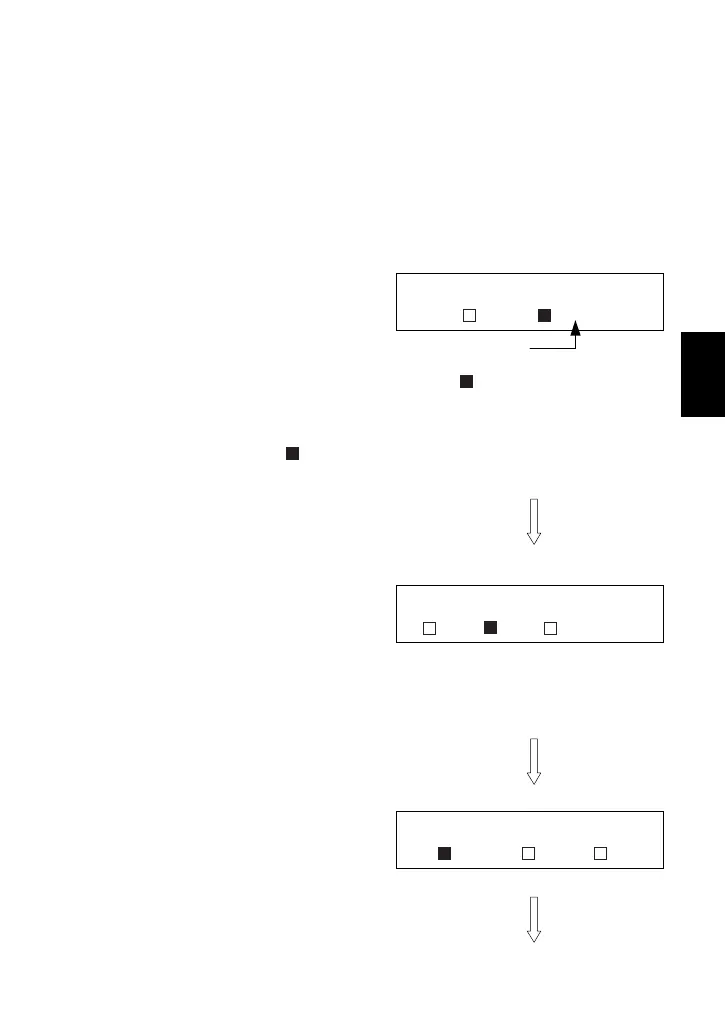
(3) Minimum Angle Unit Selection
• 5": 5 seconds / 1mgon / 0.02MIL
• 10": 10 seconds / 2mgon / 0.05MIL
The value headed with the highlighted mark
is currently selected.
To change the setting, depress the [RESET] key,
and the position of the
mark will be switched
over.
Depress the [HOLD] key to fix the setting and
proceeded to the next setting item.
(4) Vertical 0° Orientation Selection
• Z-0: Zenith 0° Horizon 90° (face-1)
• H-0: Horizon 0° (face-1) Zenith 90°
• COMPASS: Horizon 0° (face-1/2) Zenith 90° Nadir -90°
Do the same key operation as in step (3).
(5) Angle Unit Selection
• DEG: 360 Degree
• GON: 400Gon
• MIL: 6400Mil
Do the same key operation as in step (3).
Minimum Angle
5" 10"
Selecte
DEGREE / GON / MIL
DEG GON MIL
[HOLD] key
VA ZERO POSITION
Z-0 H-0 COMPASS
[HOLD] key
[HOLD] key



 To Next Page