7978
TTL Auto Flash H Mode: For FA, FE2, FG and Nikonos V Users
Chapter
3
Quick reference on relationship between usable
apertures and flash shooting distance
Use table on page 146 in this instruction manual.
Confirm Settings
7
Set aperture in use.
For instruction, see “Setting Aperture Value (Manual
Adjustment),” pages 28 to 29.
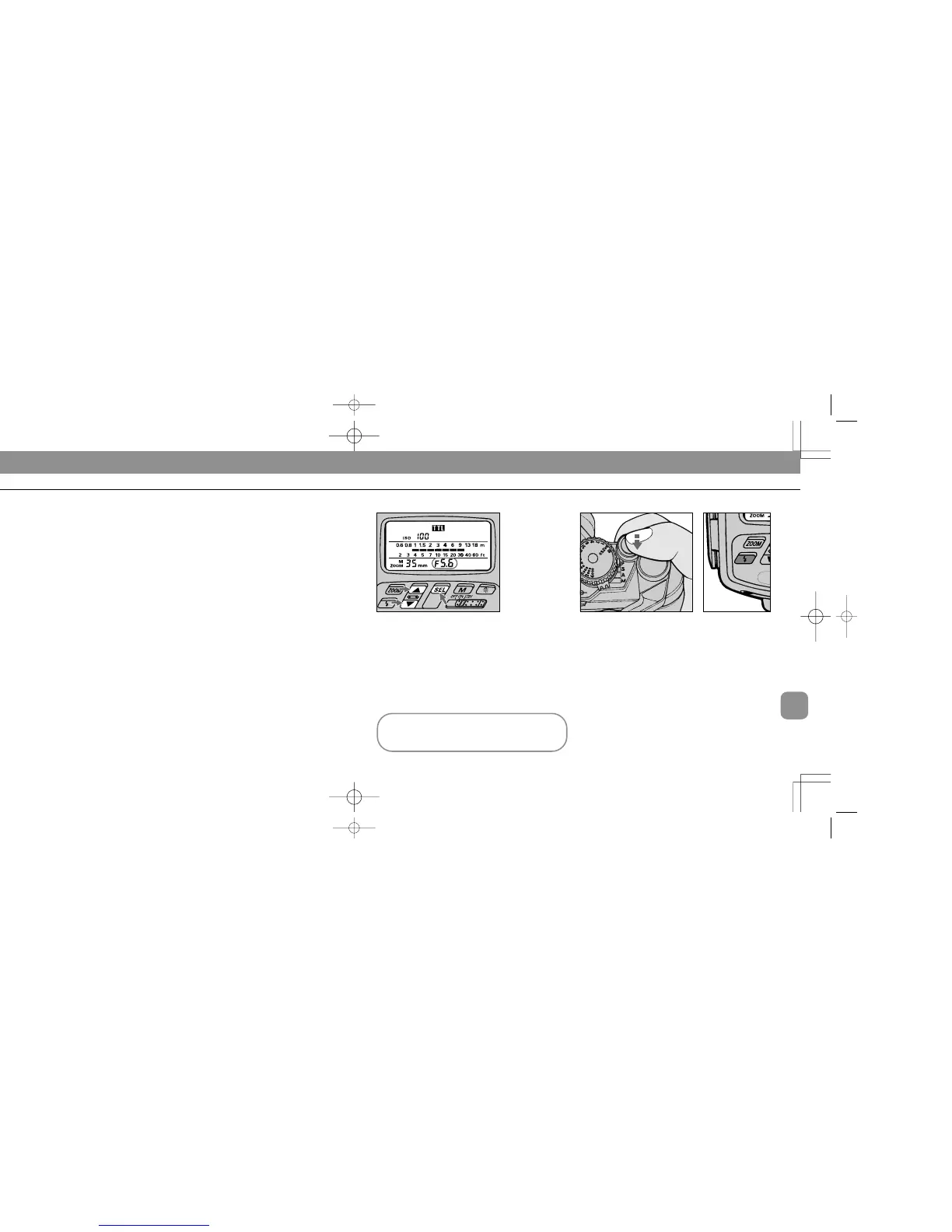
Shooting indicator bars / in the LCD panel move as the
figure input changes.
Determine approximate flash-shooting distance range by
reading indicator bars.
8
Look into camera viewfinder, compose and lightly
press the shutter release button.
Confirm ready-light has come on and subject is in focus.
Check if ready-light is on in camera’s viewfinder g or on the
SB-26 Â.
1
Choose p position (flash mode selector). Confirm
H in the LCD panel.
2
Choose W position* (flash sync mode selector).
* Since TTL Auto Flash operation can be performed regardless of the flash sync
mode selector setting, for simplicity, always leave the switch at this position.
3
Set ISO speed of the film in use. Usable film speeds
are from ISO 25 to ISO 400
For instruction, see “Setting ISO Film Speed (Manual
Adjustment),” pages 27 to 28.
4
Set position of the built-in zoom head.
For instruction, see “Setting Zoom-Head Position (Manual
Adjustment),” pages 29 to 30.
Shooting indicator bars / in the LCD panel move as the
figure input changes.
Setting Up Your Camera
5
Set desired shutter speed*.
* Camera automatically shifts to the fastest synchronization speed if you choose
a speed that is not within the synchronization range.
6
Set your chosen aperture.
SB-26 (E) 03.1.14 7:16 PM Page 78














 To Next Page